Jump to content
View in the app

A better way to browse. Learn more.

OSBot :: 2007 OSRS Botting

A full-screen app on your home screen with push notifications, badges and more.

To install this app on iOS and iPadOS
  1. Tap the Share icon in Safari
  2. Scroll the menu and tap Add to Home Screen.
  3. Tap Add in the top-right corner.
To install this app on Android
  1. Tap the 3-dot menu (⋮) in the top-right corner of the browser.
  2. Tap Add to Home screen or Install app.
  3. Confirm by tapping Install.

broodjepanda

Members
  • Joined

  • Last visited

  1. Can I get an auth?:D
  2. Can I get a trial?
  3. Can I get an auth? would love to try this
  4. it uses 2 buttons and it uses hover mouse. I've got one for ags into gmaul and one for g maul insta to obby.
  5. Am I allowed to sell a AHK gmaul script here?
  6. Also has all void sets
  7. Sold him a nice main account
  8. I see you are farming post count
  9. 85m
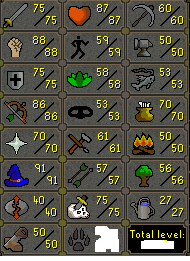
  10. I got this account. Still needs agil and regicide done, but has high range and all void sets.
  11. Add me on discord Frietje mayo#1290
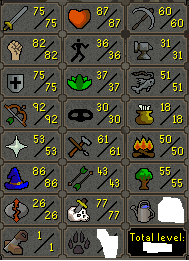
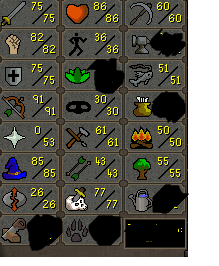
  12. I have this account and this one, right one also has b gloves
  13. how much will 44 runecrafting accounts go for?
  14. broodjepanda posted a topic in General Help
    Hello, When I try to log in on my account in the client, the client just closes.

Account

Navigation

Search

Configure browser push notifications

Chrome (Android)
  1. Tap the lock icon next to the address bar.
  2. Tap Permissions → Notifications.
  3. Adjust your preference.
Chrome (Desktop)
  1. Click the padlock icon in the address bar.
  2. Select Site settings.
  3. Find Notifications and adjust your preference.