




Jump to content
View in the app

A better way to browse. Learn more.

OSBot :: 2007 OSRS Botting

A full-screen app on your home screen with push notifications, badges and more.

To install this app on iOS and iPadOS
  1. Tap the Share icon in Safari
  2. Scroll the menu and tap Add to Home Screen.
  3. Tap Add in the top-right corner.
To install this app on Android
  1. Tap the 3-dot menu (⋮) in the top-right corner of the browser.
  2. Tap Add to Home screen or Install app.
  3. Confirm by tapping Install.

Arjen

Members
  • Joined

  • Last visited

Everything posted by Arjen

  1. Arjen replied to xOx's topic in Spam/Off Topic
    hipster cunt. kys
  2. @@Sysm
  3. Arjen replied to STD's topic in Requests
    @Sysm he can get this done by one of his workers for a decent price
  4. Arjen replied to EverDream's topic in Shops
    previous work? ow and im curious to see your photography portfolio since i am one myself hihi
  5. Arjen replied to harryth3hopp3r's topic in Spam/Off Topic
    I do not approve this message.
  6. Arjen replied to Decode's topic in Archive
    1
  7. title
  8. Arjen replied to Deceiver's topic in Gallery
    he bassicly does the samething with the lines, but a bit more advanced i think
  9. well, a acc with a 50% ban is ofc way less worth than the 30m you get for a clean lvl 3 with 85mining
  10. why u twc guy
  11. what runecrafting does with people.
  12. Arjen replied to YoHoJo's topic in Spam/Off Topic
    nah
  13. such a weeb
  14. Arjen replied to Fishing's topic in Spam/Off Topic
    oef, right in the feels
  15. Arjen replied to Deceiver's topic in Gallery
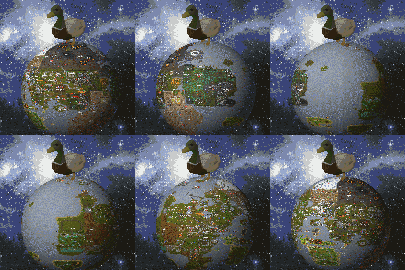
    the more that i look at it the less i start liking it. the striping is half way done. the shine that comes from behind and reflects on the cloud are messy done. feel like you didnt take your time and rushed it. did you follow his tut tho?
  16. good stuff
  17. Arjen replied to Deceiver's topic in Gallery
    baka arts?

Account

Navigation

Search

Configure browser push notifications

Chrome (Android)
  1. Tap the lock icon next to the address bar.
  2. Tap Permissions → Notifications.
  3. Adjust your preference.
Chrome (Desktop)
  1. Click the padlock icon in the address bar.
  2. Select Site settings.
  3. Find Notifications and adjust your preference.

