Jacobs911
Members
-
Joined
-
Last visited
Everything posted by Jacobs911
-
Don't understand this comment. That is exactly what happened. Longest time I went without signing out was like 3 hours. I would bot for about an hour in the mornings before I went to work. Then maybe an hour before bed. The only other bot I used was Khal Smither. Maybe did 1-2k gold bars and 1k cannon balls over the course of a couple days. Small amounts at a time. You don't have to believe it, but that's what happened.
-
Ran this from 66-73 mining over the course of about a week. Just got a 2 day ban.
-
Question here. I have this and your smithing script. is there a way you can set it up to where when you select “stop after reaching level x” or “stop when out of supplies” the bot actually logs out? I’ve noticed that the bot will just stand around forever after finishing a milestone if you select it to stop l
-
Got up and the bot had been standing still for 8 hours at a ore vein. I'll try and get a screenshot next time.
-
I bought this like 8 years ago and coming back after a long time off. Is it still good to go?
-
-
Ironman so my gear is limited 72 Range 52 Prayer 61 Defense 72 HP Added on skype
-
Can I get a trail please?
-
Could I get a trial perhaps? does this support blackjacking yet?
-
Perm banned. Only bot i've used in the past 30 days. I knew the risk, its all good
-
The avoid other player's don't really seem to work at all. Several times I've been in worlds where there was only one dude and he was using the west side up stairs, and so does this bot like 100% of the time.
-
I got a 2 day ban about a month ago. I'm debating on giving it another go. I was thinking about doing a 4 hour bot at night and having the script stop on log out maybe 3-4 times a week. I haven't botted for more than 1-3 hours total since the 2 day ban, and have since changed my name (got a pretty good one luckily). Any qualms or issues you see here? Any ideas would be much appreciated. I'm eager to get back on this script even if only a little. Also didn't know that the injections themselves were undetectable now. When did this happen?
-
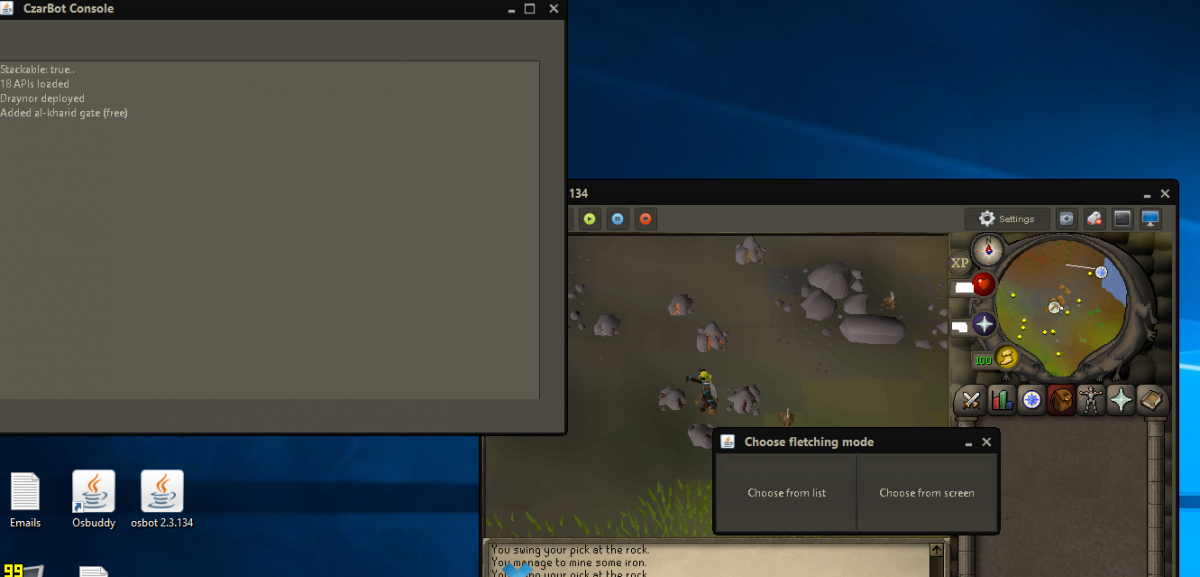
No longer getting the xp p/hr overlay choosing from screen also getting this weird fletch option thing
-
Hey Khal I was hoping I could get an AIO agility trial since I own your motherload script!
-
Could I get a trial for Molly's Thiever 188826
-
What other bots have you been using?
-
I personally always go with balls blue.
-
-
Oh snap, my bad. But yea works really great on injection mode! Thanks
-
Thanks m8! Right off the bat we have an issue. With advanced settings unchanged, mirror mode, and mithril bar smelting in edgeville, we have this problem as seen below. The bot clicks once to go inside the smelter, and then takes off towards the wilderness, then stops at this shack. Haven't tried on normal mode yet, but I don't think I'll ever use normal again.
-
Heres a quick shot of it getting stuck at the bank. Recovered after a few minutes this time. But it hasn't other times.
-
AIO smither please. Going to get you a mirror proggy.
-
Well I think you've already given me one, but if you want me to test it for you I'll get a proggy shot. I'll be posting now.
-
Yea sorry I closed it too fast. But it was same as above "walking a bit closer to the ladder"
-
I was stuck here this morning.