Jump to content
View in the app

A better way to browse. Learn more.

OSBot :: 2007 OSRS Botting

A full-screen app on your home screen with push notifications, badges and more.

To install this app on iOS and iPadOS
  1. Tap the Share icon in Safari
  2. Scroll the menu and tap Add to Home Screen.
  3. Tap Add in the top-right corner.
To install this app on Android
  1. Tap the 3-dot menu (⋮) in the top-right corner of the browser.
  2. Tap Add to Home screen or Install app.
  3. Confirm by tapping Install.

zombie89

Members
  • Joined

  • Last visited

Everything posted by zombie89

  1. I've never got a account unbanned , congratz lol
  2. Thanks ! Working all good now (Y)
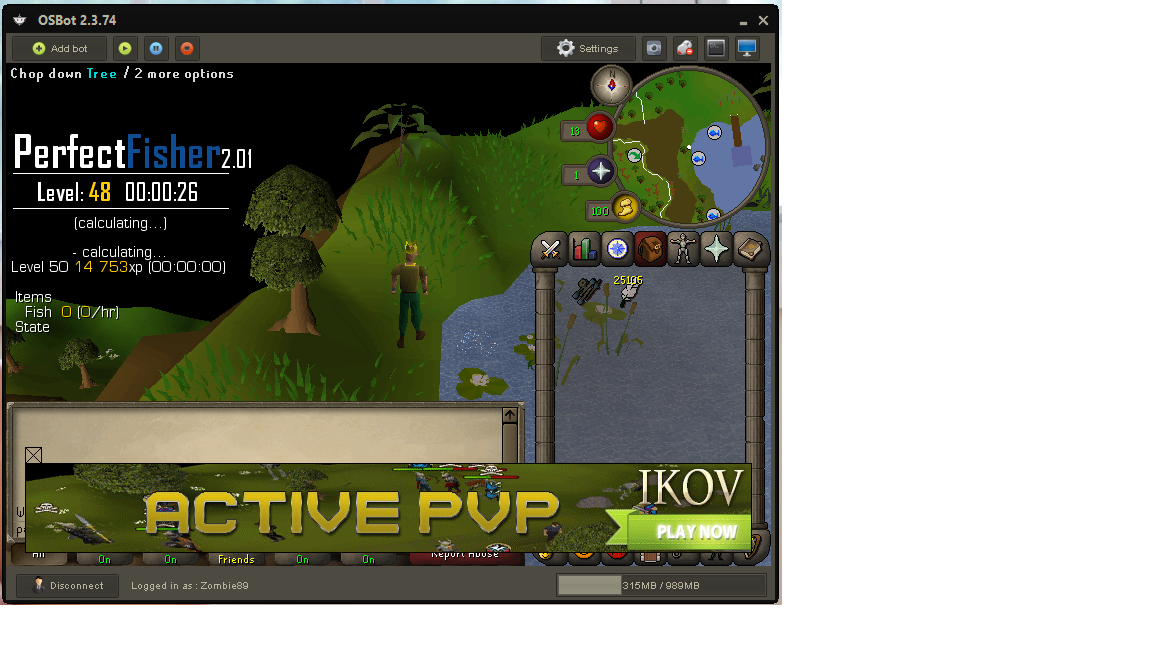
  3. This script aint working at all for me , stucks on "calculating" and wont do literally anything
  4. Wellcome to OSBot , hope you'll enjoy the community!
  5. Range on a main is basically afk , wouldnt bot it myself.
  6. that's insane , to be quashed 3 times
  7. 2570
  8. Congratz!
  9. Nice going there! Keep up the good work !
  10. Good luck , will take a while but it's all worth it!
  11. Almost there , keep it up !
  12. zombie89 replied to Czar's topic in VIP Scripts
    Going to get this one soon . looks nice
  13. 2438
  14. buying 1 bond , added you on skype
  15. Good luck! Hope you'll get that sweet cape :P
  16. sorry to hear bout the ban
  17. Welcome to OSBot community , hope you enjoy !
  18. Welcome ! Hope you enjoy your stay

Account

Navigation

Search

Configure browser push notifications

Chrome (Android)
  1. Tap the lock icon next to the address bar.
  2. Tap Permissions → Notifications.
  3. Adjust your preference.
Chrome (Desktop)
  1. Click the padlock icon in the address bar.
  2. Select Site settings.
  3. Find Notifications and adjust your preference.