






tomimikaelll
Members
-
Joined
-
Last visited
-
aren't u the ditto guy + wales gonna get ze dik
-
Already got the answer, no need to reply. idk how to lock the topic
-
ok, thanks for info
-
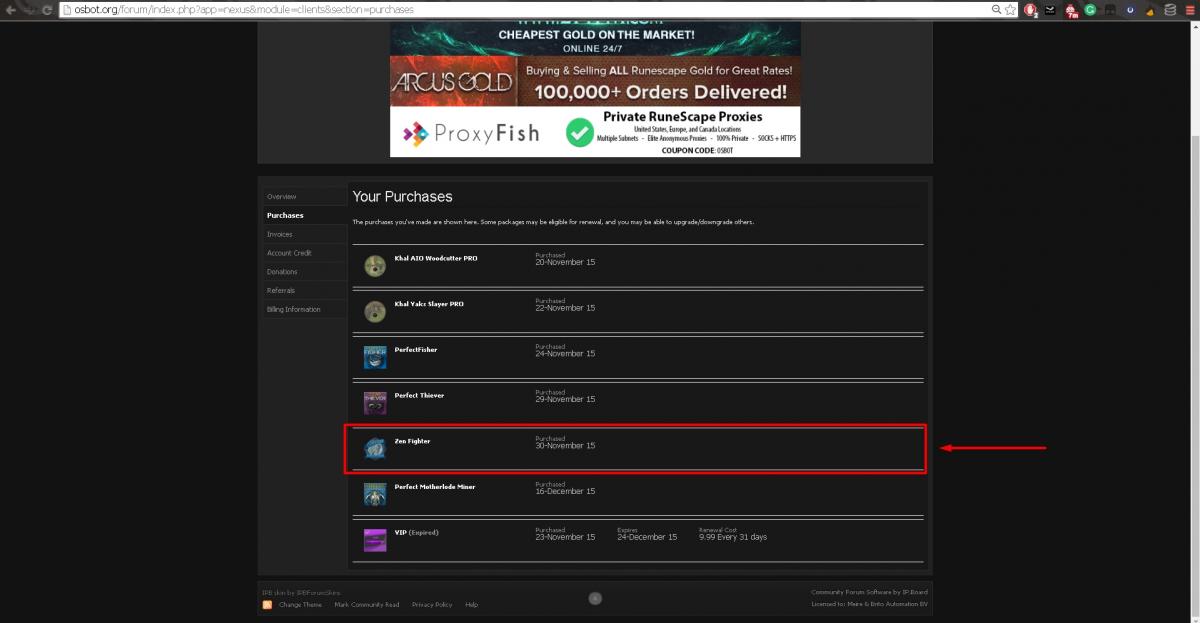
Hello, I purchased Zen fighter like a year ago. Now I'm coming back to botting and I see it´s not being updated or discontinued for some reason? Any reasons for this? + possible way to get money back if he removed the script?
-
Heres 100hr proggy i got long time ago. Got like 9k logs.
-
Advertisements ran out7/11Fear ?http://osbot.org/forum/index.php?app=nexus&module=clients§ion=purchases90 QP 5-10m? u wot m8Im stupid. Nice.




Account
Navigation
Search
Configure browser push notifications
Chrome (Android)
- Tap the lock icon next to the address bar.
- Tap Permissions → Notifications.
- Adjust your preference.
Chrome (Desktop)
- Click the padlock icon in the address bar.
- Select Site settings.
- Find Notifications and adjust your preference.
Safari (iOS 16.4+)
- Ensure the site is installed via Add to Home Screen.
- Open Settings App → Notifications.
- Find your app name and adjust your preference.
Safari (macOS)
- Go to Safari → Preferences.
- Click the Websites tab.
- Select Notifications in the sidebar.
- Find this website and adjust your preference.
Edge (Android)
- Tap the lock icon next to the address bar.
- Tap Permissions.
- Find Notifications and adjust your preference.
Edge (Desktop)
- Click the padlock icon in the address bar.
- Click Permissions for this site.
- Find Notifications and adjust your preference.
Firefox (Android)
- Go to Settings → Site permissions.
- Tap Notifications.
- Find this site in the list and adjust your preference.
Firefox (Desktop)
- Open Firefox Settings.
- Search for Notifications.
- Find this site in the list and adjust your preference.