






DEMONTIME
$100.00 Donor
-
Joined
-
Last visited
Everything posted by DEMONTIME
-
if you're trading it to an alt maybe be cautious enough to make sure the alt isn't a fresh level 3 for example trade it to a pure or a main of urs then trade it over type thing.
-
make a clout dance
-
ooh nice bruv, would like to see an update in the future and hopefully not a banhammer.
-
-
-
https://osbot.org/forum/topic/158233-105-combat-acc/?tab=comments#comment-2016486
-
https://osbot.org/forum/topic/158233-105-combat-acc/?tab=comments#comment-2016486
-
Add me on discord ruxziii#6217
-
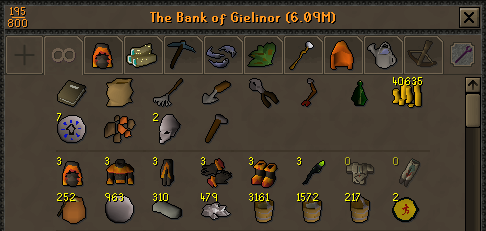
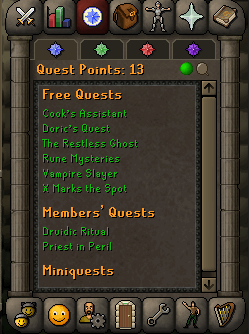
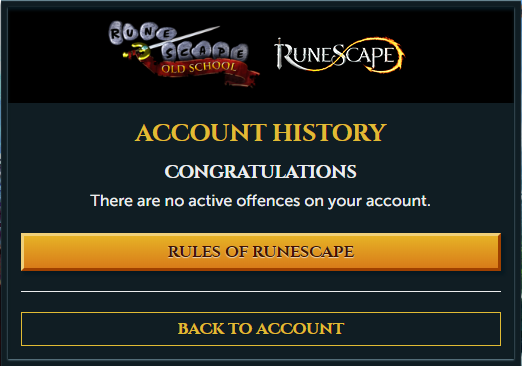
Thinking of selling this acc, would like to know a rough estimate of what its worth Stats - https://gyazo.com/1437d5bec641a82b626873d76dcb5480 QP - https://gyazo.com/fb8bef7d113e023022fffdaba9551fab Items - https://gyazo.com/5860813ce79ab7a0ba606286ebcbe6e11. Pictures of the account stats 2. Pictures of the total wealth (if there is any) 3. Pictures of the quests completed 4. The price you will be starting bids at 15M 5. The A/W (Auto-win) for your account 25M 6. The methods of payment you are accepting OSRS GP 7. Your trading conditions You go first 8. Pictures of the account status 9. Original/previous owners AND Original Email Address OO is @Somebody Has original email

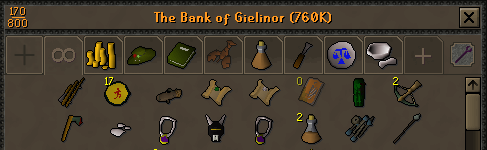
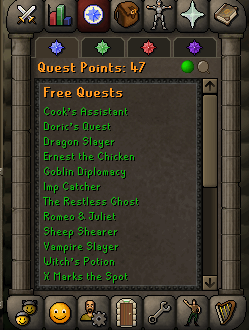

 1. Picture of the account stats 2. Pictures of the total wealth (if there is any) 3. Pictures of the quests completed 4. The price you will be starting bids at 25M 5. The A/W (Auto-win) for your account 40M 6. The methods of payment you are accepting OSRS GP 7. Your trading conditions You go first 8. Pictures of the account status 9. Original/previous owners AND Original Email Address Original owner - FuryShark Comes with original email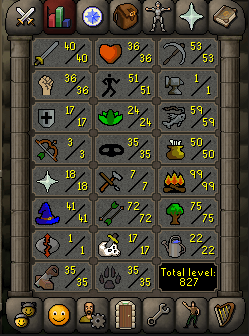
 we lowkey just turning into eoc20gp/xp 6-8 hours a day guarenteed with daily photos at end of sessionscan do for 5M will be done within a few hoursyou'll just have to understand the fact that at the start of the botting process you'll probably put more money into it then what you will make until you figure out what works the best for you, its all trial and error.I wouldn't bot on any account with a previous ban tbh & I wouldn't ban on an account I'd even think twice about losing either.marketto sell an account that's as high a value as that especially being an end game main, you would need to spend quite some time gaining feedback and posting throughout the website before anyone would offer to buy it. based off the fact you joined less then 24 hours ago, have not setup your profile and don't have any feedback or requirements to sell the account nobody will buy it just a bit of information if you are looking at selling it in the future. maybe work on getting your profile setup, some post count without spamming and getting to know people after that try selling accounts of low value .e.g. tutorial island accounts in bulk to gain some feedback & once you've settled into the community then try posting the account and waiting to see what comes your way.did acid once and ended up playing basketball in the rain at 5am it was fuckin sensationalill do it for 80M can be done for 8 hours a day. EDIT: this would be hand-done with RuneLite & I could give screenshot proof if needed of each level.



