Leaderboard
-
Khaleesi
Developer4Points27816Posts -
Goopie1051
Trade With Caution2Points192Posts -
james3000119
Java Lifetime Sponsor1Points21Posts -
Setro Etto
Java Lifetime Sponsor1Points2Posts




Popular Content
Showing content with the highest reputation on 02/23/22 in Posts
-
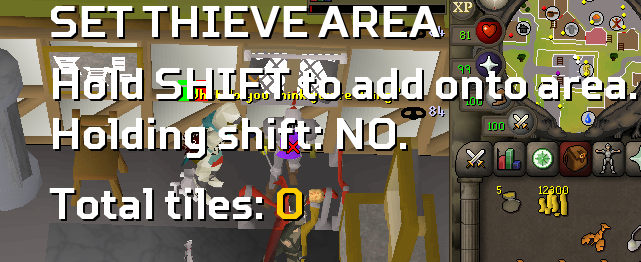
1 pointSo i cannot get this to work, Im wanting to make it so if the knight runs away it wont follow. So 3 Squares max. Any ideas on how i can get this to work? I Hold Shift and nothing happens @Czar
 1 point
 -
1 point
-
1 pointproxies is the main reason for banns, another one is not using mirror, so make sure you use mirror. or if you make too many on the same IP, they usually get chainbanned. Also if you walk them to GE, try without that. I ahve heard that walking to GE can get it banned quicker sometimes1 point
-
1 point
-
1 pointFound a bug: When starting the Eagles’s Peak quest, it goes through the starting dialog but fails to click Start quest? “Yes”.1 point
-
1 point
-
1 point