Skip to content
View in the app

A better way to browse. Learn more.

OSBot :: 2007 OSRS Botting

A full-screen app on your home screen with push notifications, badges and more.

To install this app on iOS and iPadOS
  1. Tap the Share icon in Safari
  2. Scroll the menu and tap Add to Home Screen.
  3. Tap Add in the top-right corner.
To install this app on Android
  1. Tap the 3-dot menu (⋮) in the top-right corner of the browser.
  2. Tap Add to Home screen or Install app.
  3. Confirm by tapping Install.

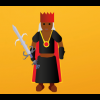
My first logo for my bot

Featured Replies

I need some respons/tips of how to improve my logos


Here is the first one

qA9pr01.png

Edited by hajar424

You've got that awesome "I'm going to rape your imouto" look in your eye, it's sexy

looks nice but idk if its 180x180 (which is the size for script icons)


It is.

It's nice, but the face is going to watch me as I sleep. Maybe instead of having your avatar you could have a picture of the Al-K palace?

gl with release :)


I like the idea of the shape you could do more with the border of it and that picture of yours perhaps try a better picture :p and make it 100% opacity 

  • 2 weeks later...

Yes its fine :-)

Make it a lil more flashy to catch the attention of the person a little bit more other than that great!


Create an account or sign in to comment

Recently Browsing 0

  • No registered users viewing this page.

Account

Navigation

Search

Search

Configure browser push notifications

Chrome (Android)
  1. Tap the lock icon next to the address bar.
  2. Tap Permissions → Notifications.
  3. Adjust your preference.
Chrome (Desktop)
  1. Click the padlock icon in the address bar.
  2. Select Site settings.
  3. Find Notifications and adjust your preference.