haashaked
Members
-
Joined
-
Last visited
-
Hahaha... fuk im stupid, thank you very much!
-
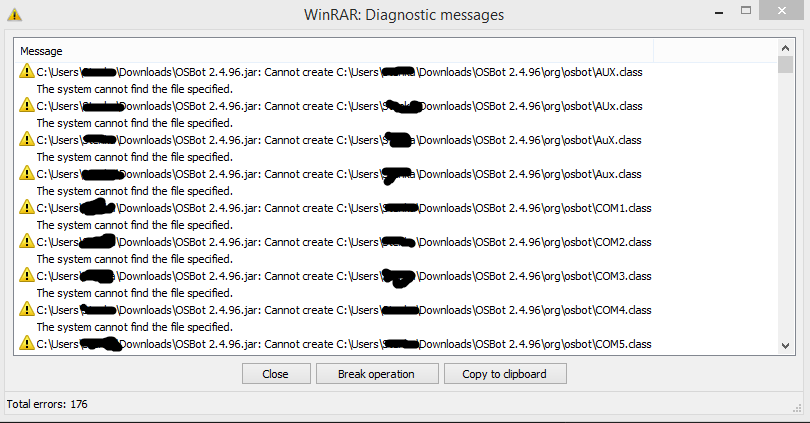
Hey, if i dowload osbot, then i cant extract it, if i skip some errors, then theres no osbot launcher in my extracted folder, wtf? Any help? Thank you!
-
Well.. i used ur script about 30 mins and it worked perfectly, then osbot crashed due DDOS attacks and my trial is now over lol.. but anyway, thanks and i think i contact u soon..
-
Damn.. my trial is ticking...
-
-
Em.. still cant use it or i have to do something to use my trial?
-
Well.. im still interested in DreamChopper, trial please?
-
Nice scipt, i like it. As i read run problem is fixed, but i found another complication: Missclicked: banked only 1 lobster and went back to the karamja. Thanks for the trial and soon im gonna buy it.
-
Used his service again, as always - very fast!!
-
Seems a good deal, especially many users have left good feedback. Gonna use ur service soon! // 1 question: Is your VPS preconfigured to run osbot or i have to set it up myself?
-
Very, very fast and smooth trade. Approved (Y)
-
Just bought a bond, very smooth and fast service, many thanks!
-
-
Added u.
-
Can you be please some more specific? What you mean cooking 300k gp/h? Thanks!