






Sickness
Members
-
Joined
-
Last visited
Everything posted by Sickness
-
Could you please add checks for 2x minnow eaters? As in sometimes if you're unlucky both of the spots have the jumping fish and it just runs back and forth and then back, it looks really suspicious
-
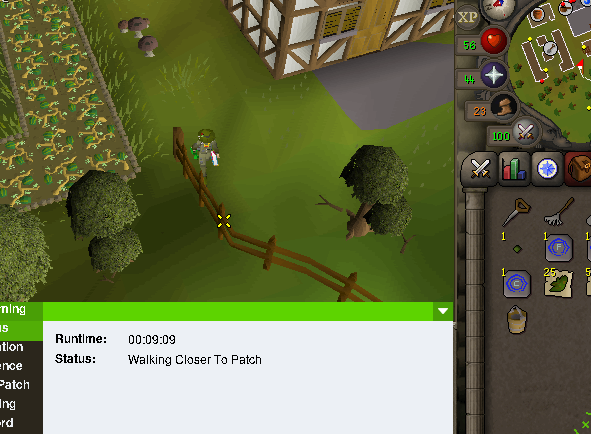
What is default zoom for osbot plugins? Set it to max zoom, still walks to these corners after trading allotments Fixed mode. https://imgur.com/urCiC5g https://imgur.com/QPhdC1x instead of just harvesting instantly from the leprechaun it walks all the way to the north west part of the area by with the status "Walking closer to patch" (In all of these instances) https://imgur.com/a/EVwBo9n https://imgur.com/sREeqDd
-
Can you please make the script stop walking to weird places when harvesting allotments? It's pretty obvious when you're going back and forth from the leprechaun and then walking to the sw fence in ardy and catherby, make it stand closer to the leprechaun and not walk 20 tiles when inventory gets full also add noted produce from allotments to banking when done with run please example and if you can add basalt teleports for weiss/troll stronghold, I would be grateful!
-
Could I have a trial please?
-
I'd love a trial
-
I'd like to try out the AIO agility script for a week thank you

