
MongooseFox
Members
-
Joined
-
Last visited
Everything posted by MongooseFox
-
pm
-
-
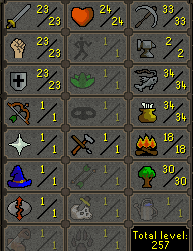
A few days ago I started a similar project, so far it's not that bad, it's worse with the bot's auto supply, because most of the scripts are based on GE, but two bots with a similar 250+ are still alive and well
-
-
Any instructions how to lunch bot? I added bot, proxy, script and task going to green and back to stop
-
Let's go test this!
-
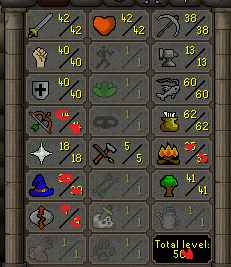
Welcome to all of you, I am proud to start working with you. We currently have low lv main accounts for sale, but all of them have the following stats: No prior Bans - !NEW CHEAP NO MAIL SET AUTO SELL 500+ TTL MULES ARE AVAILABLE!* - *(We will add information about new accounts in the post as soon as they appear) We help throughout the process of setting up an account and changing the e-mail address, until it is fully obtained by the customer himself. We are Original Owner of all accounts Discord MongooseFox !MongooseFox#0420 339504175056420864

-
I have the rune scape client open as well as the osbota, everything set up as it should be, but it still asks for the official launcher. I just want to open the bot via OSbot and then transfer the script config to BotManager. I mean exactly to try Explv's AIO script. Zrzut ekranu zrobiony przez Lightshot (prnt.sc) P.S. Do you know any other account builder scripts?