






Malmo
-
Joined
-
Last visited
Everything posted by Malmo
-
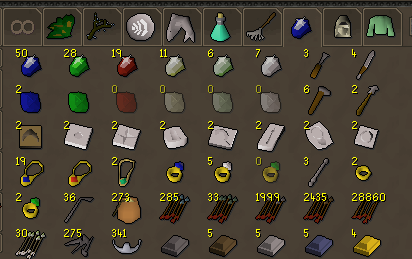
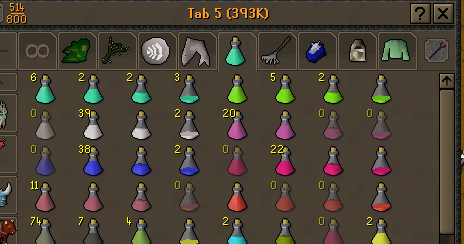
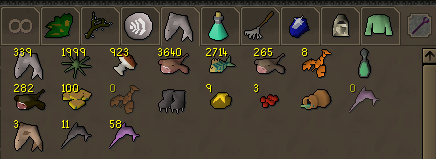
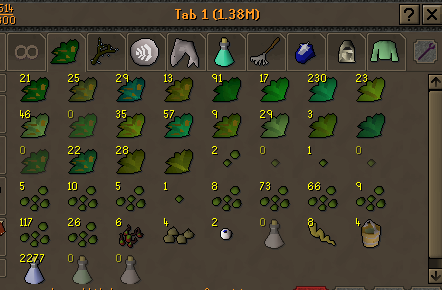
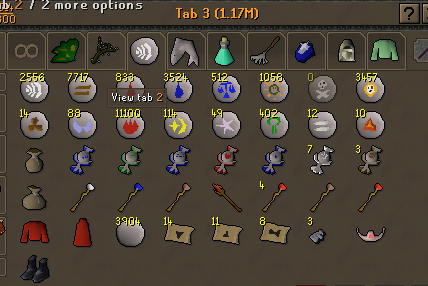
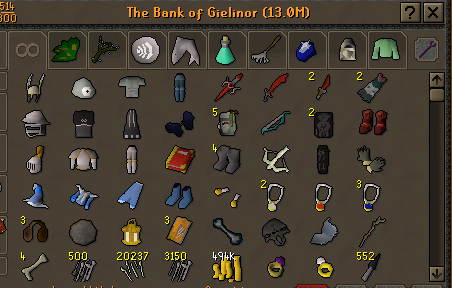
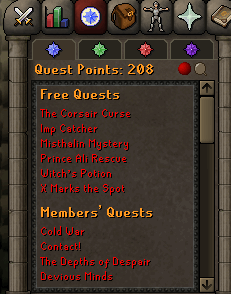
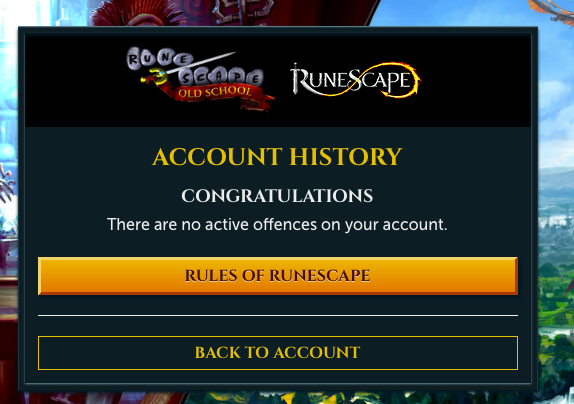
 Decided to sell this ironman, as ive started a fresh HCIM, and I no longer play it. The account has anglers, rogues and full graceful. Has quests like mm1, lunars, desert treasure etc.. Also has dragon defender, torso, d scim. Great mid level account to start ur iron journey 1. Pictures of the account stats 2. Pictures of the total wealth (if there is any) 3. Pictures of the quests completed 4. The price you will be starting bids at 100m OSRS GP. 5. The A/W (Auto-win) for your account / 6. The methods of payment you are accepting OSRS GP, Paypal, BTC 7. Your trading conditions Willing to go first to trusted people, or use a MM. 8. Pictures of the account status 9. Original/previous owners AND Original Email Address I am original owner, will provide all info necessary. Email is a random one as u will see when u log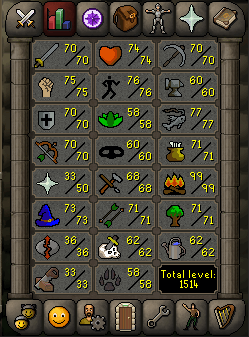
-
-
Still for sale.
-
-
Id be interested for a 1b, if u can give me a good price per m.
-
Still for sale.
-
-
Still for sale.
-
Noted, looking for a bit more.
-
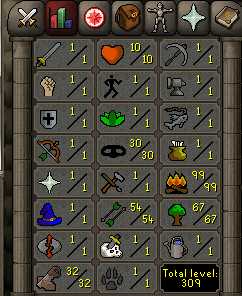
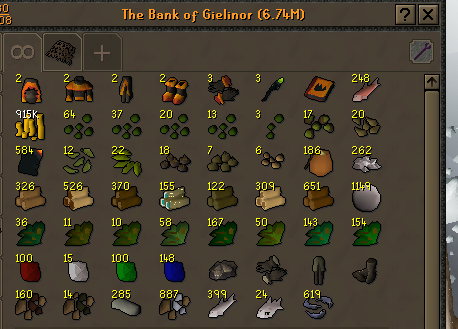
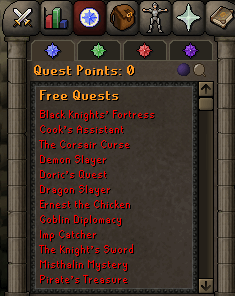
1. Pictures of the account stats 2. Pictures of the total wealth (if there is any) 3. Pictures of the quests completed 4. The price you will be starting bids at 40$ PP / BTC or same in OSRS GP 5. The A/W (Auto-win) for your account 65$ PP / BTC or same in OSRS GP 6. The methods of payment you are accepting OSRS GP / BTC / PP 7. Your trading conditions Can use MM, willing to go first to trusted. 8. Pictures of the account status 9. Original/previous owners AND Original Email Address Account was originally bought on Playerauctions, on 9/7/2020, but changed my mind about playing it. It does not come with original email as it is a random one. Will transfer to your email and provide previous passwords, and everything needed.
-
I recommend this guy, got me lvl 5 roles and torsos on many accounts. https://osbot.org/forum/profile/338028-easy-money/
-
Ok lmao, thats the first case ive heard. gl with it further on
-
-
https://osbot.org/forum/topic/161443-selling-mid-level-gmauler/
-
Added you
-
Oh damn, see i wouldnt ask for original email if it was a trusted seller as in accounts selling and stuff. Yeah malmo 😛
-
True, but anyways what kind of acc u got? Can u show me pics of stats/bank, and does it come with original email?
-
-
With botting 10 hours a day u wont last 2 days haha. U should rather sell it or something, its def not worth the risk of getting banned on max account.
-
alch.com is nice.
-
pm me if interested
-
-
Hey guys, i need Kings ransom, Royal trouble, Slug menace, Enakhras lament, Dream mentor. Ironman has full graceful, super energies and energies, has all teleports unlocked. U will have to gather items urself. Post prices with discord.
-
-
Looking for someone more trusted sorry. Sorry, thats a bit too much per crate.

