






dormic
Members
-
Joined
-
Last visited
Everything posted by dormic
-
package osbot_scripts.framework; import java.io.BufferedReader; import java.io.IOException; import java.io.InputStreamReader; import java.net.URL; public class GEPrice { private static final String BASE = "https://api.rsbuddy.com/grandExchange?a=guidePrice&i="; /** * Default Constructor * */ public GEPrice() { } /** * Gets the overall price of an item. * * @param itemID * @return itemPrice * @throws IOException */ public int getOverallPrice(final int itemID) throws IOException { return parse(itemID, "overall"); } /** * Gets the buying price of an item. * * @param itemID * @return itemPrice * @throws IOException */ public int getBuyingPrice(final int itemID) throws IOException { return parse(itemID, "buying"); } /** * Gets the selling price of an item. * * @param itemID * @return itemPrice * @throws IOException */ public int getSellingPrice(final int itemID) throws IOException { return parse(itemID, "selling"); } /** * Retrieves the price of an item. * * @param itemID * @return itemPrice * @throws IOException */ private int parse(final int itemID, String choice) throws IOException { final URL url = new URL(BASE + itemID); BufferedReader file = new BufferedReader(new InputStreamReader(url.openStream())); String line; String price = null; while ((line = file.readLine()) != null) { if (line.contains("{")) { price = (line).trim(); } } if (choice.equals("buying")) { price = price.substring(price.indexOf(",") + 10, nthOccurrence(price, ',', 1)).trim(); } else if (choice.equals("selling")) { price = price.substring(nthOccurrence(price, ',', 2) + 11, price.indexOf("sellingQuantity") - 2).trim(); } else { price = price.substring(price.indexOf(":") + 1, price.indexOf(",")).trim(); } file.close(); return Integer.parseInt(price); } private int nthOccurrence(String str, char c, int n) { int pos = str.indexOf(c, 0); while (n-- > 0 && pos != -1) pos = str.indexOf(c, pos + 1); return pos; } } From DoricsQuester, not sure who made it but seems pretty clean. To use it you can use the following: GEPrice grandExchangePrices = new GEPrice(); int price = grandExchangePrices.getBuyingPrice(1028); log(price);
-
I remember a company saying that involved with Diablo and WoW
-
I'd like to integrate it with my farm ?
-
I am running an automatic farm and this sometimes happens even when everything is correctly configured, so my question is to how to detect it so my farm can automatically close the corrupted client. But thanks for the answer though!
-
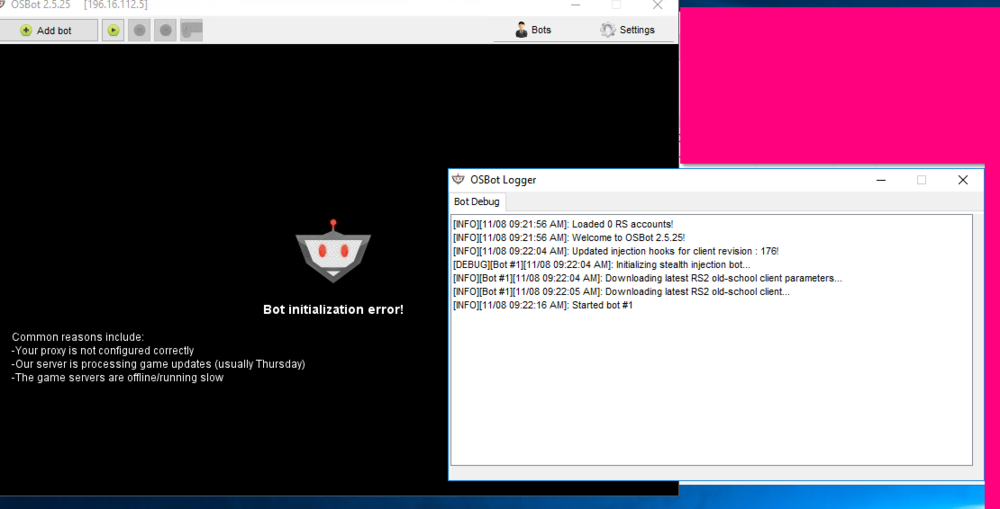
Hi, Does anything know how to detect this error so you can close it automatically when it happens?
-
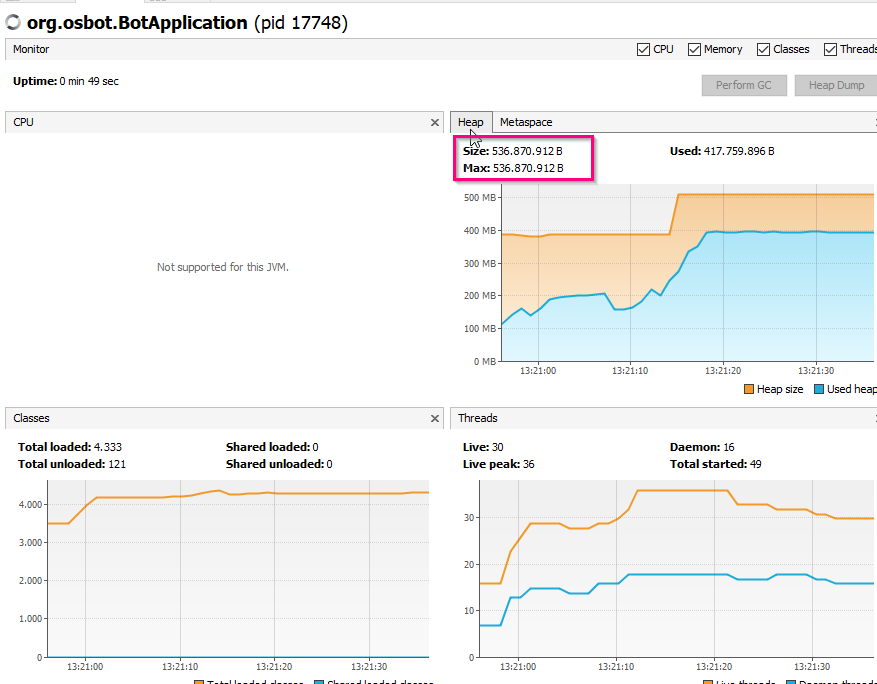
Just found out that I had set the maximum heap of 536 in my PATH system variables, got it working now, thanks ? Problem solved.
-
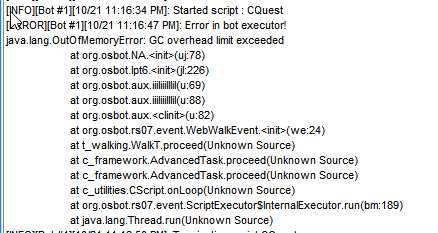
Hi, I am getting this error when using WebWalker in Lumbridge/but also in other area's. Anyone might know what's going on? Already tried to give CLI -mem 2048, but still same thing. Using version 2.5.24 Restarted the client multiple times When looking in visualVM you can see that the heap space have maxed out, but my CLI is this: Is this CLI argument working? EDIT: Just found out that I had set the maximum heap of 536 in mn PATH system variables, got it working now, thanks ? Problem solved.

-
+1 having the same issue also with webwalking GC max limit exceeded



