



Erradicated
Members
-
Joined
-
Last visited
-

-
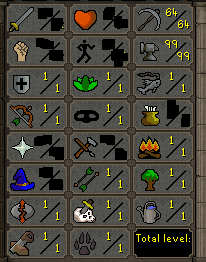
1. Pictures of the account stats 2. Pictures of the login details 3. Pictures of the total wealth 4. the quests completed Giant Dwarf (partially), and others.. 6. The A/W (Auto-win) for your account: 60m 7. The methods of payment you are accepting 07gp/BTC 8. Your trading conditions Ur first or MM(Unless you're a trusted user) 9. Pictures of the account status I can not access because there is no registered mail. It has no infractions. 10. Original/previous owners AND Original Email Address I am the OO/ No email registered.
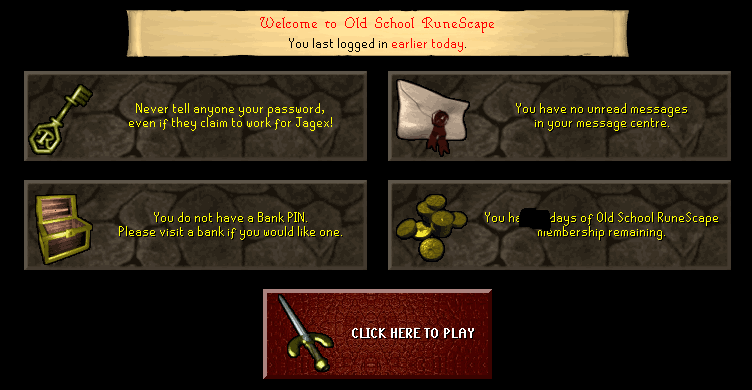
-
Soon I will sell it, I would like to know how much it can cost
-
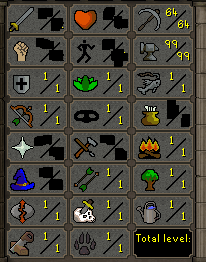
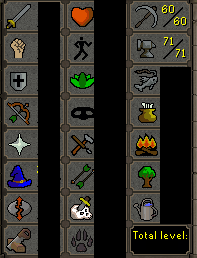
Account with ice gloves and coal bag whit this stats
-
aay the memezuelan echaito pa lante meme its real
-
1.Acc Stats 2.-Logi stats 4.-Total wealth 5.- Quests The giant dwarf STARTED 6.- Start =25m A/W30m 7.- Acepting 07 gp or BTC 8.- Trading conditions; I'll go first if you're a trusted user. 9.-Acc status 10.-Im the OO, registred email.

-
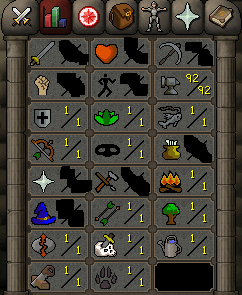
with 60 smithin?
-
This acc have 60-70 smithing/Coal bag/Ice gloves and a few days of member
-
No l0l
-
-
Autologin broken
-
?????????????????
-
jug of water and clay
-
when you start the script, you just take out one type of object and put it back in the bank in an infinite bulce
-
U

