






druxlol
Members
-
Joined
-
Last visited
-
litterally waiting to purchase just want to know how to get v2
-
Are v2 auths going out to purchasers or is it just part of the normal script now?
-
is v2 out then or? how do i get v2
-
Tested 1 lower account since so many people are asking, account hasn't been botted in weeks, had quick switch off just to see, was doing zul tele and clan wars. went 6 hours. will report back
-
2 of my accounts got hit
-
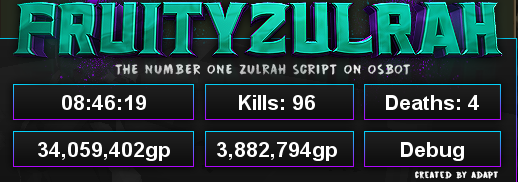
but also sometimes you get really fkn lucky drops... about a third of that time is breaking
-
also teleporting on kill without looting (still 2 sharks remaining)
-
sat there at clan wars for 4 hours at teleport spot "banking" manually click over by bank and it goes right back to normal.... this things not running good at all
-
i keep catching it flicking thick skin on and off randomly... fairly concerning
-
bots dieing a lot more than usual, and overall sluggish. dont have time to watch it today. also can we address the issue on red phase on the far north east corner of the zulrah thing where it walks back and fourth every single time for every single kill on that rotation

-
seems to be working, only 2 minutes in so take that with a grain of salt
-
-
-
-
awesome, thank you!



