JTTonster
Members
-
Joined
-
Last visited
-
-
I just got a 1 day ban lmao...been running this script for the past 2 weeks about 9 hours a day they are on to us bois
-
After the bot loots the chest at the end of the run it just stands there for like 5 seconds before it equips the ring of dueling and teleports out....anyway to shorten this time?
-
lol just read about the bans and immediately turned off the script....got 70-88 range this past 4 days so I guess I will do some questing or some shit and layoff for a while
-
I do anywhere from 10-14 hours a day....ill do like 8 hours in the morning and like around 4hrs at nighttime. Sometimes I forget about the bot and it will go a little longer. I bot everyday. I haven't gott a ban or warning yet but after getting the 99s on melee stats im taking a little break and questing and shit. Already got 99 att str def hp. Going to use for range next. If you have been banned before, I would be a little more careful
-
The bot will take them out of the barrel. If you run out of potions it will also buy them. It is a great bot.
-
Got me 99 attack....now close to 99 defence, Script works great
-
I decide the price of gp
-
yeah it does have spin flax spell and it works pretty good, used it to get to 94 magic
-
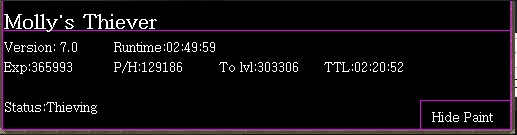
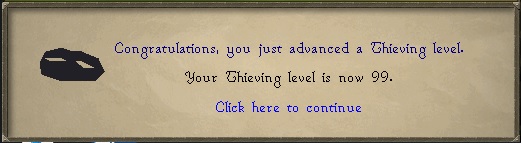
Great script, got me 99 thieving!!
-
-
-
Ardy knights works great. Been using it there since 60 and now 75. If you read back on the thread here you will see that ardy knights has been updated alot and now is pretty good.
-
Tan leather is better now. It has a problem when banking though. Here is what it does 1. Withdraws 25 leather 2. Casts tan leather spell 5 times 3. Sometimes clicks spell again after tanning the 25 hides This causes a delay in the banking where the bot just sits there and then after a while it reclicks the banker to bank. It does this every now and then but at other times it runs great. Would be nice if you could fix this. Here is what the logger said, if it means anything [INFO][Bot #1][03/16 10:06:59 AM]: Casting directly from click area! [INFO][Bot #1][03/16 10:07:00 AM]: Animation received, new [712] [INFO][Bot #1][03/16 10:07:00 AM]: "sa_tans" changed to "225" [INFO][Bot #1][03/16 10:07:00 AM]: Gained exp, incrementing tan leather count, currently: [0] [INFO][Bot #1][03/16 10:07:00 AM]: Option for [Grand Exchange booth] is [Bank] [INFO][Bot #1][03/16 10:07:00 AM]: move there [INFO][Bot #1][03/16 10:07:13 AM]: Option for [Grand Exchange booth] is [Bank] [INFO][Bot #1][03/16 10:07:13 AM]: within bounds
-
The scripter for one of the scripts I bought has said that they have updated the script to fix some of the problems it had but I am not getting the updated script. Is there anything that I have to do to get updated bot?