KyleDBusey
Members
-
Joined
-
Last visited
Everything posted by KyleDBusey
-

-
Herb: 3m Cooking: 12m Smith: 8m LOOOOOOOOOOOOOOL
-
Hop off my dick, I can tell people to add my Skype for a quote. A ton of people who don't want to get undercut by random people do this. I appreciate your concern though.
-
Can do this cheap. Add my Skype for a quote
-
-
We can do this for 4.2M per account with all supplies included in price.
-
-
How much money per hour does this net?
-
0 GP XD
-
We will do this for 2.4M.
-
-
We are the cheapest on the market! We can do this!
-
We can do this for you, add me on Skype!
-
-
We can do this. Look under our quest list on our thread, we can do this quickly for you.
-
18 in year 1 university
-
What is wrong with adding someone's Skype to discuss a price that works for both parties? it's no big deal but if you post on these threads people just undercut each other over and over again even if your price is cheapest.
-
Umm..we offer the cheapest price on the market but you do you man.
-
Add my Skype!
-
We can do this order!
-
-
We can do this order!
-
I'd call it between 100-125M.
-
Could I have a 24 hr trial for this script? interested in possibly buying
-
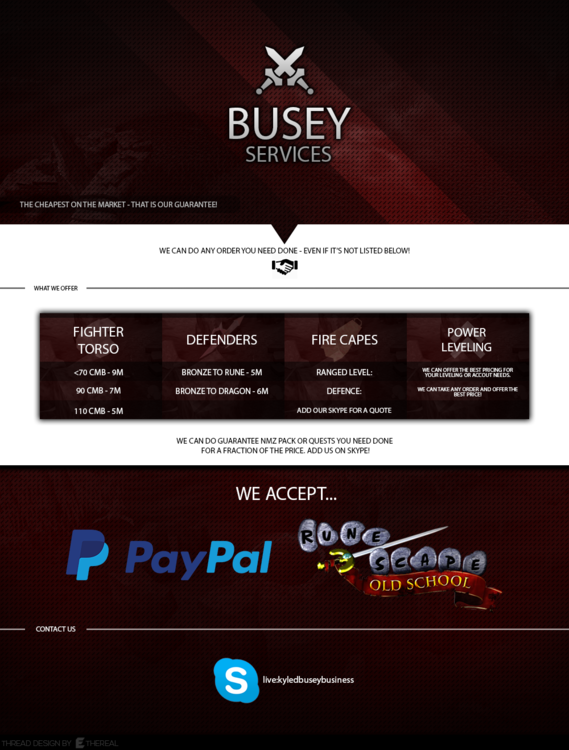
PROMOTIONAL SALE: NOW TAKING 10% OFF THE NEXT 10 ORDERS STARTING AUGUST 8TH! ADD MY SKYPE NOW TO TAKE ADVANTAGE OF THIS PROMOTION! QUESTS (Open below) I promise you my service is the cheapest you can find and not only is it the cheapest, but the fastest and most reliable on the market. After filling out an order form, you will receive a reply within 12 hours no matter what hour you send in an order request, that is my guarantee. During an order, I am almost always reachable and constantly talk to customers through Skype text and even Skype calling. Feel free to call and see how your order is doing! I can complete any order no matter the size or the difficulty, just add my Skype and you will receive a quote in no time. We will give you a quote for the time, the price, and anything we will need to complete the order. If we do not complete your order in the time given, you will get a FULL refund. Order Form: - What is your Skype?: - What service do you need?: - Payment method? (PP/OSRS): - Do you agree to my TOS?: TERMS OF SERVICE: 1. Under any service, you may not access the account or change the password. Doing this will void the service with no refund. 2. I am not responsible for any bans/mutes/situations that occur with your account after a service is completed (not that there would be any). 3. You will change the password to the account after the service is completed to ensure complete safety of your account. 4. Any payment is refundable before the order starts. 5. If our service does not satisfy you 100% and you have a valid reason to be upset, we will give you a FULL refund no questions asked.