Jump to content
View in the app

A better way to browse. Learn more.

OSBot :: 2007 OSRS Botting

A full-screen app on your home screen with push notifications, badges and more.

To install this app on iOS and iPadOS
  1. Tap the Share icon in Safari
  2. Scroll the menu and tap Add to Home Screen.
  3. Tap Add in the top-right corner.
To install this app on Android
  1. Tap the 3-dot menu (⋮) in the top-right corner of the browser.
  2. Tap Add to Home screen or Install app.
  3. Confirm by tapping Install.

iFosyx

Members
  • Joined

  • Last visited

Everything posted by iFosyx

  1. iFosyx replied to FrostBug's topic in Minigames
    Got my first F Cape because of this script yesterday but unluckily i got banned right after the attempt for 2 days Never botted before on this account so be aware! edit: unbanned and still have the firecape
  2. iFosyx replied to Molly's topic in Thieving
    Just Wow. This option works so smooth! Thanks a lot!! Edit: It never happened but a question: When the bot misclicks (cause of knight flicking, two people get caught at the same time), does the bot get back to the right "standing" position? So that the knight won't despawn
  3. iFosyx replied to Molly's topic in Thieving
    Already bought it Couldn't wait haha but thank you
  4. iFosyx replied to Molly's topic in Thieving
    May i get a trial please :)?
  5. iFosyx replied to Khaleesi's topic in Minigames
    May i get a trial please :)?
  6. No bans yet lol. Still going strong
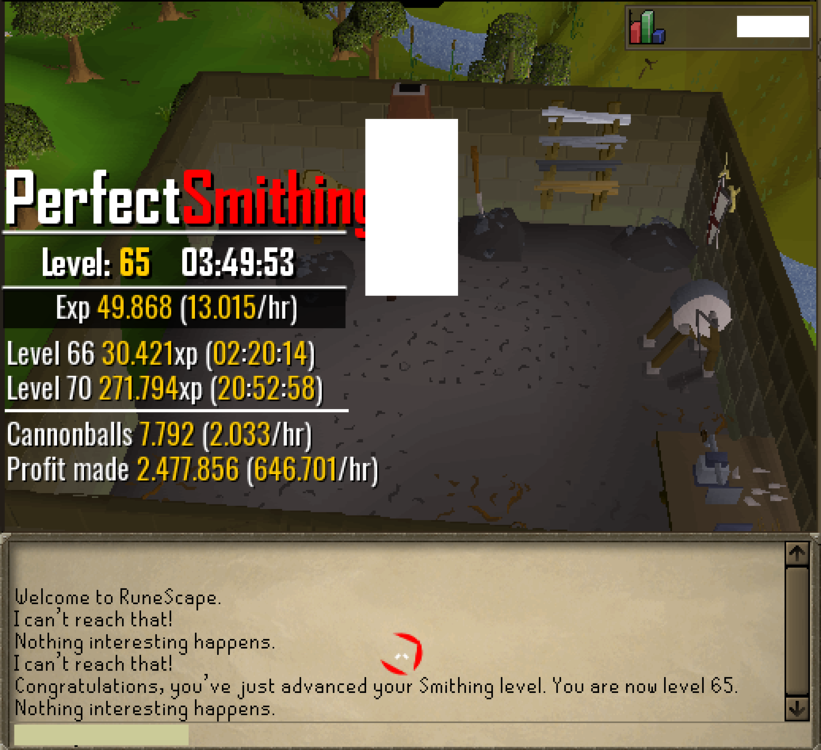
  7. Using this script for Cannonballs, works perfectly fine! 10h a day and no ban yet! Thanks for this awesome script
  8. Gets stuck at the bank withdraws all my items than deposits them; withdraws -> deposits -> withdraws etc. At the crabs everything works fine
  9. Using this Script for a week now. 10h a day and it works like a charm!! Thanks for this awesome script No ban yet
  10. iFosyx replied to FrostBug's topic in Minigames
    Just bought it Thanks for this awesome script!
  11. yep, 5 accounts banned >.<

Account

Navigation

Search

Configure browser push notifications

Chrome (Android)
  1. Tap the lock icon next to the address bar.
  2. Tap Permissions → Notifications.
  3. Adjust your preference.
Chrome (Desktop)
  1. Click the padlock icon in the address bar.
  2. Select Site settings.
  3. Find Notifications and adjust your preference.