Nice guy
Members
-
Joined
-
Last visited
Everything posted by Nice guy
-
Yes i posted after the update, so it still doesn't work. Altough my script still says v163 but i guess it will show correct version later.
-
Cool man! Thanks alot, i'll go and try it right now and post if there's any bugs still I don't quite get the 'smart safespot' option? So if normal safespotting is using 1 tile, and smart safespots also 1 tile then what's the difference? Edit: It worked better than yesterday, but it still bugs out and attacks the doors. Also almost got me killed (had ring of life) because i was getting attacked whilst it was running back and forth... Gif: http://imgur.com/a/njpgw note: i have the hud off for viewing pleasure but the safespot-tile is obviously right next to the door. It worked fine for about 5 minutes prior only doing this once and the straight back to fighting but sometimes it does this unitl i die. It's not always the double doors in the other room, sometimes also the doubledoors in the same room as me.
-
Allright cool Yeah it worked fine, never noticed the "smart safespotting" option before too. Because what it would do before is when i set a tile as a safe spot and there was something in the way of the firegiant i was attacking, so he had to move one tile forward to reach him, and still be in safespot distance. But it would still try to go back to the safespot and and then keep running back and forth safe spot - attack - safe spot - attack etc. Does the smart safespot option work like that? Or is it suppose to know that the 1 tile ifront is also safe?
-
I tried both, but i was mainly using the smart safespot option and chose 2 tiles so it wouldn't run back and forth when the giant is too far away. So i switched over to sand crabs and used the plugin, afk my position and only attack my crabs and it does instead: http://imgur.com/a/guT1O so it's not "afk" and only attacking the 2 crabs around me it's trying to get nearby
-
Hey great updates so far! But now when i use the script for fire giants inside waterfall dungeon, and the safe spot by there door as 'safe spot tile' it will spam click the door - fire giant - safespot - door - fire giant - safe spot etc etc etc. Ive tried everything and cant get it to work anymore
-
What's CLI? I've tried it in low-resource mode and I just tried it again and didn't work I've been trying some new bot-clients and have no issues there. But it's only only on my pc that it does this, at work it's fine and also my laptop is fine..
-
How did the mouse recorder help you before 70/70/70 and u could use guthans?
-
Still haven't solved this it's sooo frustrating and you have to remake script setting over and over because of something you ticked that was actually something else but the screen flimmer around and text for one box is moved up or down etc..
-
I also had problem with the most western door to the high lvl flesh crawler and zombies, always stuck and i had to manually enter but every other door/path it took would work
-
-
Hi czer nice updates on the script! Been using it erry day! Finally got my acc to desired combat for green drags ;) But how do I set it up? In your OP it says it supports green drags? And i searched and you said somewhere there was a plugin for it but i can't find it. Tried setting it up normally (even though there's no death walk and re-iteming) i thought it would still work if i babysit for pkers but it doesn't eat! I watched it go as low as 12 before i had to stop the script. Any way to change at what hp to eat at or was it maybe bugged?
-
Guys i still need help it's really reaaallly annoying and i fuck up my setting all the time cus of it..
-
It also it doesnt stop when out of arrows/bolts (using ranged mode).
-
Nope I have BenQ 1080p 144hz monitor.
-
Coolio! Btw i edited my post but you had allready replied. Could you explain the differences with the 3 different walking modes? Or reffer to any post you have explaining them? thanks
-
Great updates man keep em up! Another issue is path walking, but i guess that's a pretty tricky thing to get to work right. I'm trying the script with range + safe spotting in the waterfall dungeon on firegiants. Whilst fighting in there it handles the combat great! But when i tick the option to stop when food is out, it still fights until he dies. Also when banking it didn't find his way back to the fire giants. A very understandable issue. I doubt that you have scripted every path to every monster including waterfall dungeon cus to acces u need to go on a raft.. use rope on a rock, then a tree, have the amulet and then enter. Allthough there is a questing script for it that was able to do it so... Could you reffer to anything the explains what the 3 difference with walking modes?
-
Yeah i've tried everything. The only thing that made combat work was setting it to attack anything it could find and it will always go to the south-eastern room with the -35 flesh crawlers but it's a f2p char so whatever if the xp is slow i don't care.. Also when banking and going back it seems to get stuck when entering the 2nd floor and just stand there by the doors/portals
-
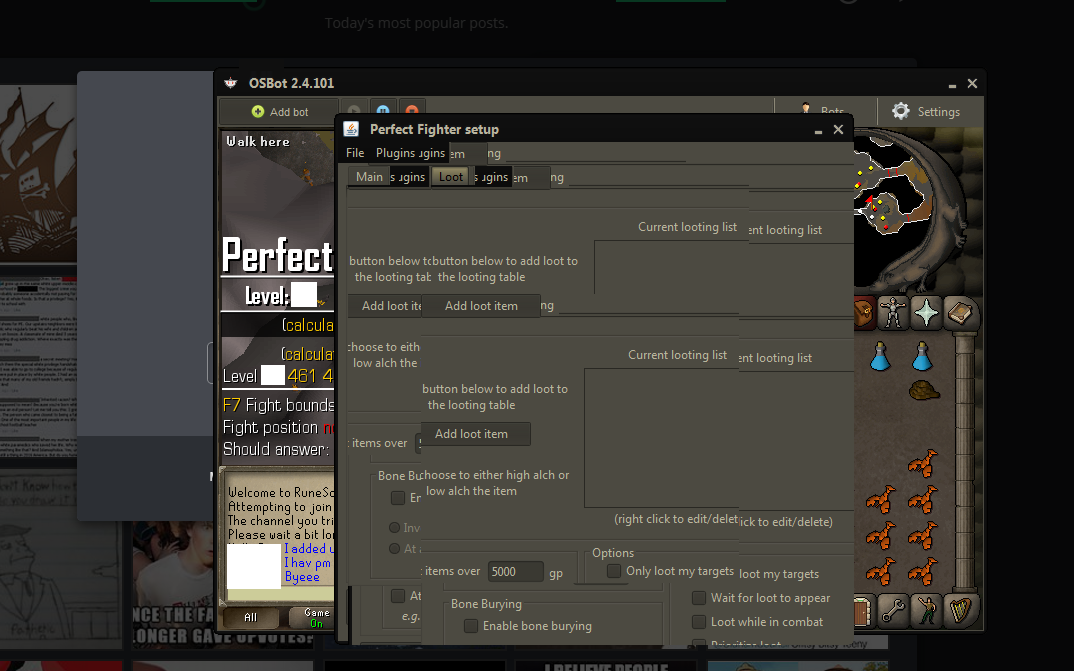
Everything is like this!! I have to move the windows down so that it goes bellow the taskbar, then back up again for it to sort of "reset". Then i know where to click, but the second that i move my cursor over the gui it starts to flimmer around and do shit like this. Anybody know what's up? GIF: http://imgur.com/a/fpqtR this is what it looks like. So you guys could better understand my problem
-
Cheers mate it's really awesome to have a dedicated scripter that seem to care alot about his customers and scripts working properly!
-
Must be tough for a scripter with as many and big scripts as yourself to maintain, run, update and bug fix everything for everybody. But alas i've paid $20 for the script so im gonna go ahead and post some issues im having. 1. When using afk mode at sandcrabs, i've come back to the bot so find it running back and forth rapidly between afk tile and a random spot. I'm assuming this is because agression from the crabs is gone and it's trying to run away to get the aggro back but it's bugging sometimes. Someone said "lmao look at this bot" in the chat so that's a bit concerning... 2. On another f2p alt im trying to level up through security stronghold. Through opening the aio fighter script it doesnt seem to work. Standing in edgeville bank, using trout as food and typing that in to the gui, and selecting flesh crawlers and zombies as npc's to kill, it doenst go anywhere, just stays in the bank. I see you have activated the trial for stornhold security wich have been working alot better. But it's just a trial i guess? Anyways, using the stronghold script instead i've been standing in the second floor and choosing the high lvl zombies and flesh crawlers to fight. But it just runs to the lvl 35 flesh crawler room and stands there afk. If i disable script and run back and resume/restart again it still runs to the same room and stands afk. Only when i don't tick any boxes for any npc's to fight does it work, but only on the lvl 35 flesh crawlers.. Hope to hear back from you soon! Edit: No matter what npc i choose to fight in the 2nd floor of security stronghold it runs to the same room with the flesh crawler -35 Edit 2: I switched to this fighter script instead of the aio stronghold, and went to the exact spot i wanted to train and used fight boundries, it now seems to work properly and also found itself to edge bank. But then when it's supposed to go back i stand afk in the section where you just entered the 2nd floor and then the script stops..
-
I setup the monsters i wanted to kill and then the food and bank i wanted to use. But now that i restarted it i also have a script named aio stronghold? Did i get a plugin for it or a trial or something?
-
Looking to buy an awesome combat script! Does it support nmz? and does it auto teleport if you get attacked by other players in the wildy? Edit: Just bought the script and trying to get it to work on security stronghold. 1. standing in edge bank 2. fill out flesh crawler and zombie 3. fill out what my inventory and banking prefs should be 4. start and it's just standing there?
-
Hi could i get a trial for your 'Perfect Fighter' please? Also curious how well it does rock crabs, is there an option for it or do i just type them in manually and it will do its job? Like walking around gathering aggro on crabs etc?
-
How did it go?
-
edit: sorry wrong thread