Jump to content
View in the app

A better way to browse. Learn more.

OSBot :: 2007 OSRS Botting

A full-screen app on your home screen with push notifications, badges and more.

To install this app on iOS and iPadOS
  1. Tap the Share icon in Safari
  2. Scroll the menu and tap Add to Home Screen.
  3. Tap Add in the top-right corner.
To install this app on Android
  1. Tap the 3-dot menu (⋮) in the top-right corner of the browser.
  2. Tap Add to Home screen or Install app.
  3. Confirm by tapping Install.

keven1995

Members
  • Joined

  • Last visited

  1. ran this for 15min got banned lol phoenix necklase
  2. don't bot😆 's hard to quantify when risk is higher when it comes to botting; I would be extra cautious no matter where you bot. Keep sessions short (~30min-1h), use generous breaks (at least for as long as you bot) and play legitimately between sessions. Those are just some guidelines Anyone stil having succes with this bot?
  3. What max botting time do you recommend for jewellery enchanting?
  4. Whats the safest option? and do you have autosplasher?
  5. keven1995 replied to EpicMX's topic in Botting & Bans
    keep us up to date if a soulwars bot comes out!!
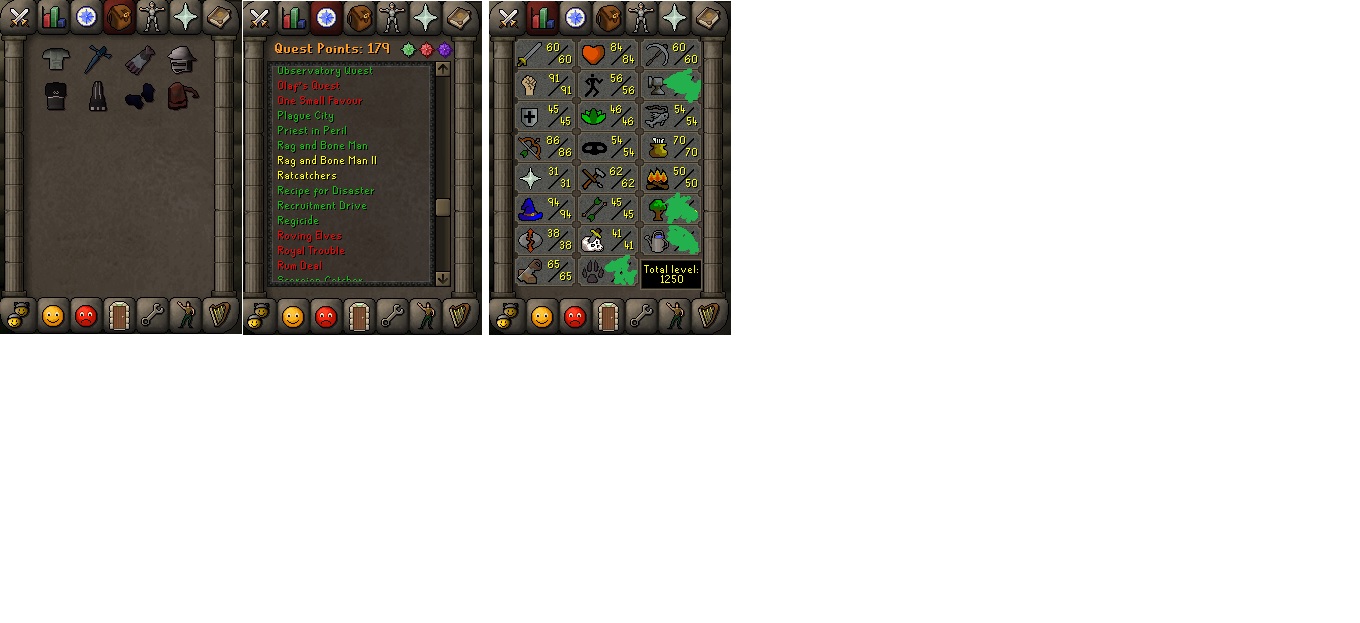
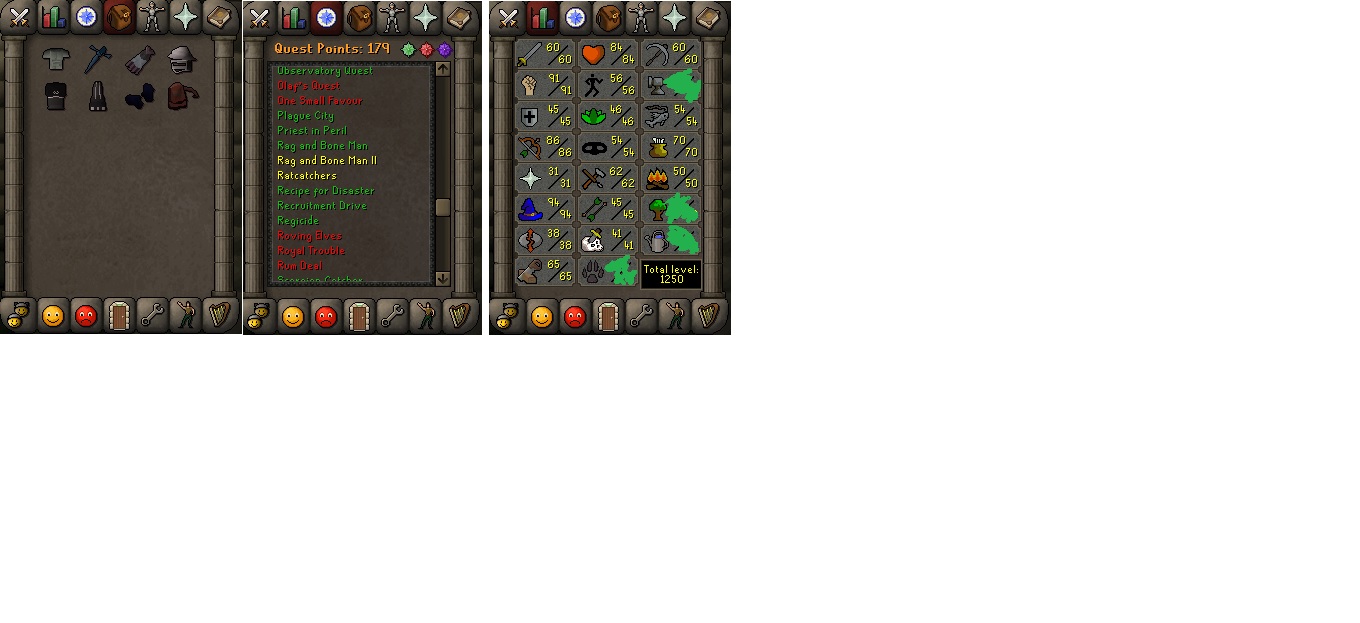
  6. Zerker With 60atk 31 pray 176qp (bgloves) + Void also a rune pouch
  7. keven1995 replied to Molly's topic in Money Making
    how do i cancle the bot i dont need it anymore and i dont want to pay monthly
  8. I can't w8 for the update because im bussy making a sikc pure but it's too obvious eating at the same health and the same route. Do you know when ur going to update it ?
  9. can't you randomise the % health that the bots eat ? and randomise how to agro the crabs ?
  10. keven1995 replied to Czar's topic in Agility
    free trial please
  11. free trial please
  12. Add me on skype kevenjason@hotmail.nl
  13. keven1995 replied to Molly's topic in Money Making
    mine doesnt seems to work... right after the click play it opens my bank tabb and directly close it and log out.. how can i fix this?

Account

Navigation

Search

Configure browser push notifications

Chrome (Android)
  1. Tap the lock icon next to the address bar.
  2. Tap Permissions → Notifications.
  3. Adjust your preference.
Chrome (Desktop)
  1. Click the padlock icon in the address bar.
  2. Select Site settings.
  3. Find Notifications and adjust your preference.