



Skip to content
View in the app

A better way to browse. Learn more.

OSBot :: 2007 OSRS Botting

A full-screen app on your home screen with push notifications, badges and more.

To install this app on iOS and iPadOS
  1. Tap the Share icon in Safari
  2. Scroll the menu and tap Add to Home Screen.
  3. Tap Add in the top-right corner.
To install this app on Android
  1. Tap the 3-dot menu (⋮) in the top-right corner of the browser.
  2. Tap Add to Home screen or Install app.
  3. Confirm by tapping Install.

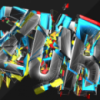
OSBOT [FREE BACKGROUND PACK] //ZURIOX
Featured Replies

maybe you want the ToS to read do not remove watermark. because it kind of looks like you're supposed to remove the watermark and don't redistibute :P 


ot: looks very awesome!

  • Author

Thanks :)

Nice!


rip a background, Add some abstract brushes.

Then put osbot text on it.


And recolour it with the hue/saturation tool.


You're a true master!


65c3c1314a03a833f3fc528e2d55302b.png

  • Author

Lol kid, i make the logo, add pen tooling, add effects to this, screen that image, add further colouring effects and composition. Everyone has seen that image, its released in most design packs.. 

The B is an E but in the wrong way?

It looks good but the text is too small, should make it bigger etc.

I'll probably use the green one for my desktop background.

zurioz wana make me a cool signature ?

Lol kid, i make the logo, add pen tooling, add effects to this, screen that image, add further colouring effects and composition. Everyone has seen that image, its released in most design packs.. 


im pretty sure thats a font.. @ text.

Nice release! Keep them coming :)


Op: Please redo the signature you made me, change the text colour to the same shade of green in your current signature. <3

Lol kid, i make the logo, add pen tooling, add effects to this, screen that image, add further colouring effects and composition. Everyone has seen that image, its released in most design packs.. 


You're talking trash, Theres nothing hard on adding some cheap brushes on a background that is already made.

Change the blending mode and done...

Also the colour grading is just some  easy contrast and hue/saturation...


Now lose the attitude kiddo, this is beginners work.


Very nice work, it looks good, and that is all that really matters.


Lol kid, i make the logo, add pen tooling, add effects to this, screen that image, add further colouring effects and composition. Everyone has seen that image, its released in most design packs.. 


You're talking trash, Theres nothing hard on adding some cheap brushes on a background that is already made.

Change the blending mode and done...

Also the colour grading is just some  easy contrast and hue/saturation...


Now lose the attitude kiddo, this is beginners work.


Whether it's beginners work or not this is pretty cool and the difficulty of it shouldn't matter when it's given freely to the community.

Unless you can do better than most of his other work, than I wouldn't be talking.


Lol kid, i make the logo, add pen tooling, add effects to this, screen that image, add further colouring effects and composition. Everyone has seen that image, its released in most design packs.. 


You're talking trash, Theres nothing hard on adding some cheap brushes on a background that is already made.

Change the blending mode and done...

Also the colour grading is just some  easy contrast and hue/saturation...


Now lose the attitude kiddo, this is beginners work.


Whether it's beginners work or not this is pretty cool and the difficulty of it shouldn't matter when it's given freely to the community.

Unless you can do better than most of his other work, than I wouldn't be talking.


I'm doing Audio Visual Design.

I'm just not wasting my time on free signatures.

  • Author

Please enlighten me on your great superiority. It's called giving back to the community.

Create an account or sign in to comment

Recently Browsing 0

  • No registered users viewing this page.

Account

Navigation

Search

Search

Configure browser push notifications

Chrome (Android)
  1. Tap the lock icon next to the address bar.
  2. Tap Permissions → Notifications.
  3. Adjust your preference.
Chrome (Desktop)
  1. Click the padlock icon in the address bar.
  2. Select Site settings.
  3. Find Notifications and adjust your preference.