Jump to content
View in the app

A better way to browse. Learn more.

OSBot :: 2007 OSRS Botting

A full-screen app on your home screen with push notifications, badges and more.

To install this app on iOS and iPadOS
  1. Tap the Share icon in Safari
  2. Scroll the menu and tap Add to Home Screen.
  3. Tap Add in the top-right corner.
To install this app on Android
  1. Tap the 3-dot menu (⋮) in the top-right corner of the browser.
  2. Tap Add to Home screen or Install app.
  3. Confirm by tapping Install.

Richard378

Members
  • Joined

  • Last visited

  1. is there a free trial available for this script? would love to try it out before purchasing
  2. still hasn't popped up on my script list after refreshing, forgive me for my ignorance if I am missing something.
  3. Would love to try this out with a trial, much appreciated!
  4. Richard378 posted a topic in Price Check
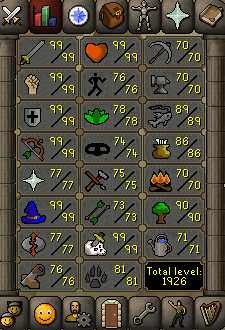
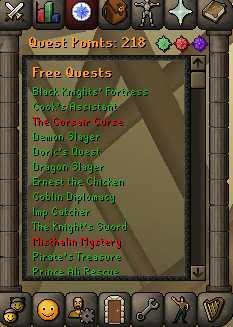
    Thinking to sell but dont know how much its worth
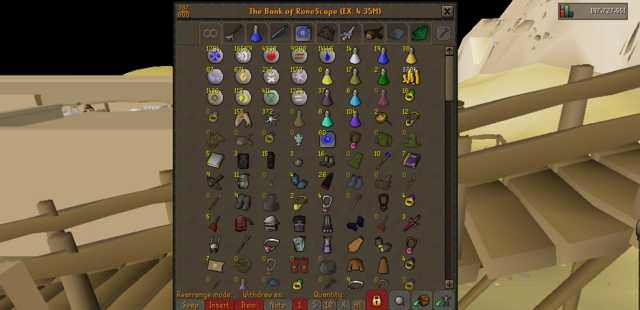
  5. As title says buying 150m PP verified. Will go first for trusted users. PM is key .68/mill
  6. Bump..
  7. See album below for details. https://imgur.com/a/D59x9RV
  8. no xp waste amirite
  9. Like everybody here, try to get it appraised and sell that shit ASAP lol
  10. i swear theyve been this low for a while
  11. Vouch for this script. Flawless.
  12. hit your boi up via PM or post here. Much thanks.

Account

Navigation

Search

Configure browser push notifications

Chrome (Android)
  1. Tap the lock icon next to the address bar.
  2. Tap Permissions → Notifications.
  3. Adjust your preference.
Chrome (Desktop)
  1. Click the padlock icon in the address bar.
  2. Select Site settings.
  3. Find Notifications and adjust your preference.