Jump to content
View in the app

A better way to browse. Learn more.

OSBot :: 2007 OSRS Botting

A full-screen app on your home screen with push notifications, badges and more.

To install this app on iOS and iPadOS
  1. Tap the Share icon in Safari
  2. Scroll the menu and tap Add to Home Screen.
  3. Tap Add in the top-right corner.
To install this app on Android
  1. Tap the 3-dot menu (⋮) in the top-right corner of the browser.
  2. Tap Add to Home screen or Install app.
  3. Confirm by tapping Install.

bent0ver

Members
  • Joined

  • Last visited

Everything posted by bent0ver

  1. Couldn't find you on discord, can you try to add me? chrism49#8128
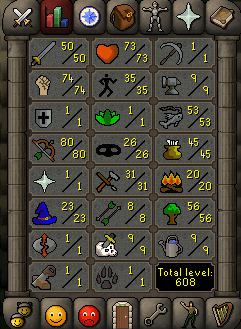
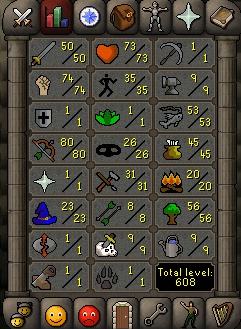
  2. I have this build, has mith gloves
  3. what stats for a gdk?
  4. what do you consider low level
  5. Idk lol, thats what i see all the gdk's with
  6. bent0ver replied to 07accs's topic in Price Check
    agreed
  7. bent0ver replied to boozer's topic in Requests
    I have this pure.
  8. How much are you paying for 70/70/70
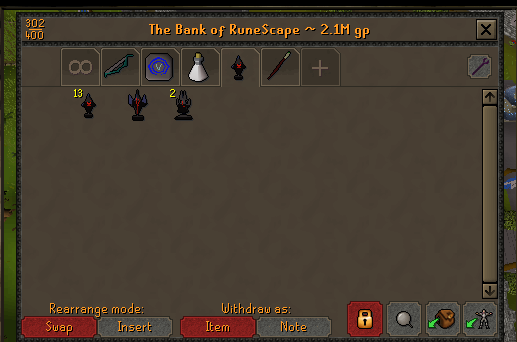
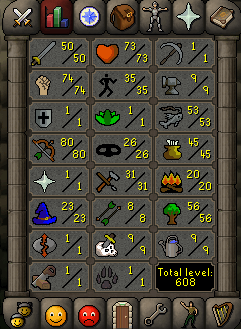
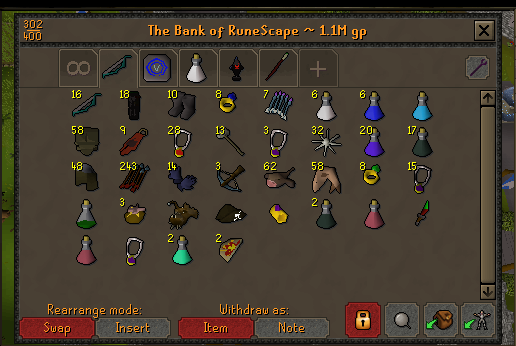
  9. i have a fully quested mid level pure 50att/75str/80range/50 mage (yes its low) willing to take offers on it if you're interested
  10. yeah true
  11. i like the idea
  12. bent0ver replied to Failed Zerk's topic in Requests
    Pm'd you
  13. bent0ver replied to Mahdan's topic in Price Check
    Sounds just about right
  14. bent0ver replied to sarsi96's topic in Requests
    ^
  15. Pm'd you
  16. looks like it can be a zerker if that 45def was quested
  17. bent0ver replied to Failed Zerk's topic in Requests
    how many accounts are you looking for?
  18. bent0ver replied to d23p's topic in Requests
    Pm'd you on here @d23p
  19. bent0ver replied to d23p's topic in Requests
    I can build some for you if you need them. Pm me
  20. bent0ver replied to B3NJ's topic in Requests
    its all good
  21. 10-15m possibly

Account

Navigation

Search

Configure browser push notifications

Chrome (Android)
  1. Tap the lock icon next to the address bar.
  2. Tap Permissions → Notifications.
  3. Adjust your preference.
Chrome (Desktop)
  1. Click the padlock icon in the address bar.
  2. Select Site settings.
  3. Find Notifications and adjust your preference.