




Jump to content
View in the app

A better way to browse. Learn more.

OSBot :: 2007 OSRS Botting

A full-screen app on your home screen with push notifications, badges and more.

To install this app on iOS and iPadOS
  1. Tap the Share icon in Safari
  2. Scroll the menu and tap Add to Home Screen.
  3. Tap Add in the top-right corner.
To install this app on Android
  1. Tap the 3-dot menu (⋮) in the top-right corner of the browser.
  2. Tap Add to Home screen or Install app.
  3. Confirm by tapping Install.

Seagull

Trade With Caution
  • Joined

  • Last visited

Everything posted by Seagull

  1. for a 1 year anniversary u deserve da D
  2. Seagull replied to Catastrophe's topic in Archive
    Hey im new here too. Hope to see you around
  3. Seagull posted a topic in Archive
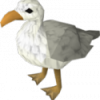
    Yo guys whats up 'seagull' here, im just another bird tryna make a living out here. I was born and raised in the port sarim docks, i know that beeech like that back of my wing. Below you can see a picture of my family and I, Im on the left. So yeah whats up guys?

Account

Navigation

Search

Configure browser push notifications

Chrome (Android)
  1. Tap the lock icon next to the address bar.
  2. Tap Permissions → Notifications.
  3. Adjust your preference.
Chrome (Desktop)
  1. Click the padlock icon in the address bar.
  2. Select Site settings.
  3. Find Notifications and adjust your preference.