




BigTask51226
Members
-
Joined
-
Last visited
-
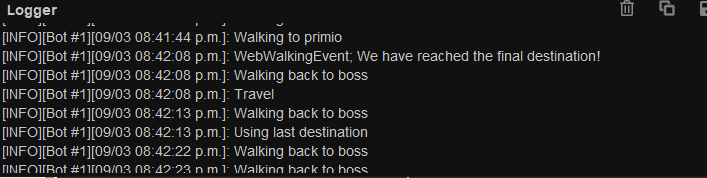
When I boot this from Varrock East bank as per your getting started instructions, I walk go to The Teomat, then I get an infinite loop of "Walking Back to Boss". If I stop the script and re-start it from Teomat, it walks me back to Varrock East Bank, then town square, then starts the whole thing over again. I just manually completed the quest for Quetzal, Twilights Promise. I have to start this while already hitting the crab to get this to work...

-
Can I have a trial please?
-
Thanks Khal, maxed smithing thanks to you
-
Free trial please for perfect construction and perfect hunter please
-
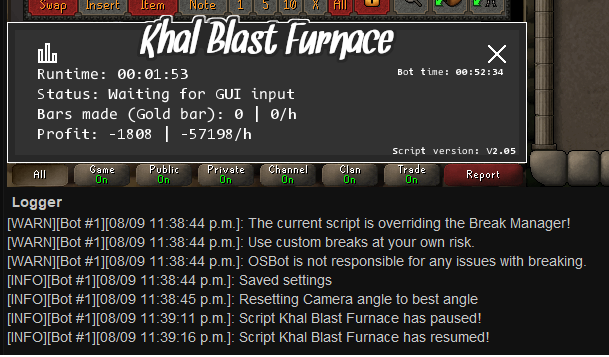
Hi Khal, Script seems to be stuck waiting for GUI input, logs below.
-
Hi Khal, I'm returning to the game after a while and bought the script. I thought this was broken because it wouldn't do anything and logged out. I didn't realize I had to keep coffers topped up on blast furnace worlds. I was checking logs, and nothing came up, it just spun camera angle until it eventually logged off - there is a game message that you need to top up coffers but its covered by the stat feed overlay. It might be helpful if we catch that error so it gets logged just so we can see why the bot stopped when we come back... but this is also a noob thing most people would probably know 😛
-
Also interested in this, bump
-
Hi Tom, This doesn't seem to work on Fossil Island's North East spot, it runs away to try and reset the aggro, but it doesn't run far enough.



