
Smeags
Members
-
Joined
-
Last visited
-
I'd think that the technical bar for entry is just higher. Another thing to consider though is just how much harder it is to bot other games. Aside from tech constraints, you have to consider how big the game's playerbase is and if the game has an active and safe gold/account selling scene. Without those, botting becomes relegated to a local proffesion.
-
I suppose that wraps it up then. Thank you so much for your time and patience. In the future I'll be sure to give details more thoroughly to keep from taking up so much time. As far as the wellbeing of my botting capabilities, there are other scripts. Thank you again, and happy botting😁
-
Ah, I see. I renamed LumbyMinerCopper.properties back to config.properties and ran it through the script GUI. It showed what you said. logs_16_10_2023-04_03_39.txt
-
Hey Khal! Loving the script, it's made easy work (technically no work) of account leveling😁 Will post proggies soon!
-
These logs come from LumbyMinerCopper.properties when loaded through the OSBot Queue Manager. The same config you tested. Would you like me to create a new config, run it through the script GUI, and send the logs?
-
Got the logs here, post update. logs_14_10_2023-02_17_49.txt
-
Huh, something like this happened with a different botting-related product, some kind of referencing error. I don't know what it is but it has only happened twice so far. I am using a hand-me-down PC which probably explains things as best as they can be explained. The script hasn't updated yet, but once it does I'll send you the logs. Thanks for all your effort, a friendly hand is much appreciated.
-
I renamed it and removed the _ but no dice. LumbyMinerCopper.properties
-
logs_08_10_2023-06_10_02.txtlogs_08_10_2023-06_10_02.txt Yeah, It does output that in the logger. But it doesn't run the settings related to that config. It runs to Varrock, mines clay, with all antiban settings enabled.
-
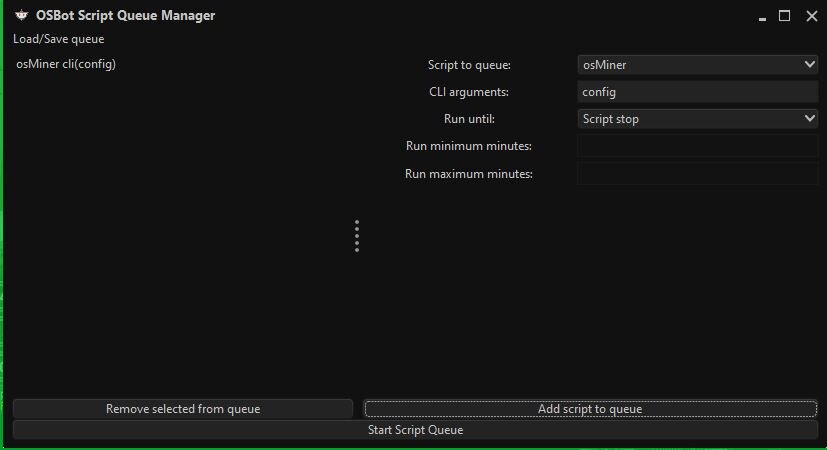
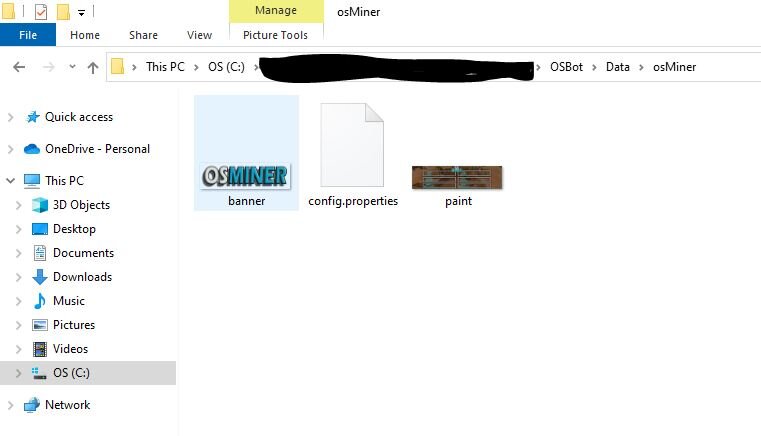
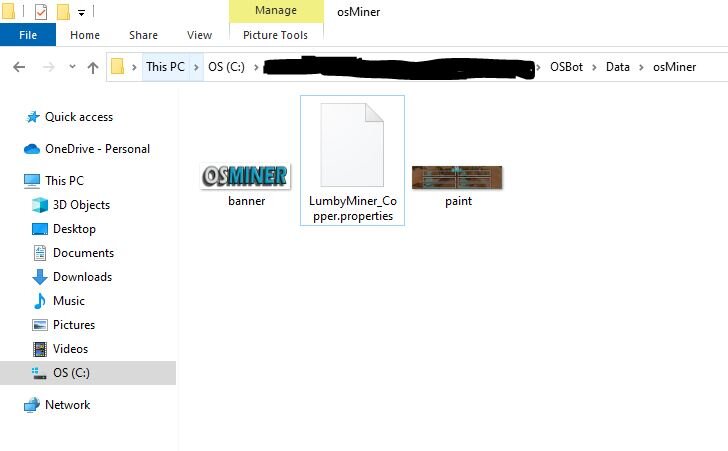
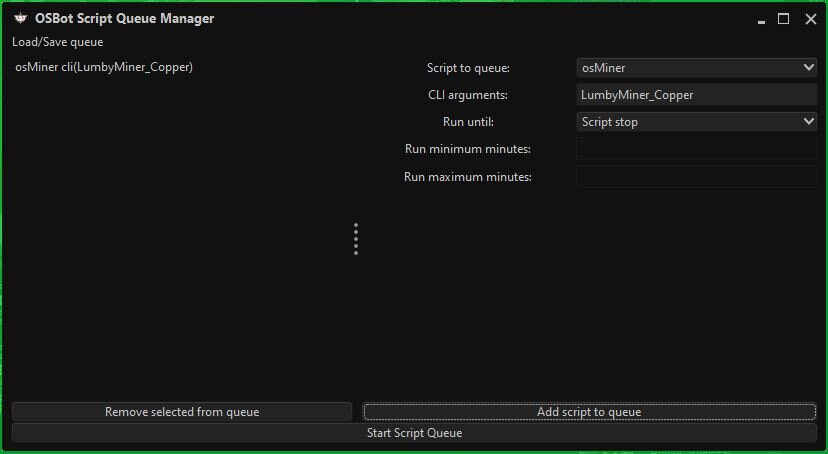
@TomI have a couple of screen shots here to help illustrate while I recount the problem: I save a unique config with the script GUI (shown in the "File Manager1" screen shot). My objective is to run the script with a uniquely named config through the OSBot queue manager. At this point I haven't renamed the config file yet, so if I type "config" into the CLI box in the queue manager, it will run whatever config I saved (shown in the "OSBot Queue Manager1" screenshot".) The problem comes after I rename the config file (shown in the "File Manager2" screen shot). Now, when I type the name of the re-named config file into the CLI box in the queue manager (shown in the "OSBot Queue Manager2" screen shot), instead of loading the settings saved to the config, it loads the stock standard settings eg. Varrock West, Tin, All antiban settings checked etc. Hope you are doing well, and thank you for your help!😁
-
Hah! Didn't see that, guess not😅
-
Pardon my ignorance, but where is the main thread?
-
I am loading the script through OSBot's queue manager. I renamed my saved config file to "LumbyMiner_Copper" and used that in the CLI section of the queue manager. The problem is, after I rename the file it doesn't load the settings from the saved and renamed config file. It loads the standard settings.
-
Smeags changed their profile photo
-
Script is working great! I was just looking for a decent firemaking script and this hit the nail on the head. I just have two questions, One, how do you create a script config? I don't see any options for it on the GUI. And two, how do you determine the script setting for a CLI launch. I'd love an example if you would give one. Thanks!😃
-
Hey! Just bought the script and I'm trying to use a uniquely named config file. It works just fine, until I change the file name, then it goes back to the standard settings. Thanks! logs_03_10_2023-04_06_21.txt