






Jackbots02
Members
-
Joined
-
Last visited
-
i see. thanks for the replies
-
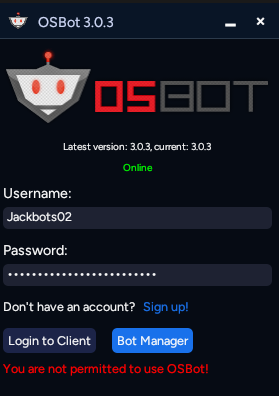
been using osbot for years then this new client releases and im not able to even log in now... im a paying customer can someone help
-
oh ok thank you
-
hey i got a trial for cannonball smithing and i really appreciate it but it doesnt smelt the cannonballs. it just stares at the interface. everything else seems to work like the banking though.
-
hey id like to try the smithing script. i liked the post, thank you
-
-
Thank you bro i appreciate it. This script is pretty much great except for that little bug.
-
https://gyazo.com/ce0202f195abfed70357687f546a4981 i dont know how to do that but i also have a vid too.
-
-
this script is broken. been trying to run it and bots always get stuck outside of the arena trying to click on the portal. whack man i spent like $15 on this
-
none of them worked. how do you start osbot with command line?
-
I am not I am on windows 11.
-
Whenever I try to load into osbot and choose a bot, it just constantly says bot initialization error. Ive trade changing my DNS to 8888, disabling proxies, disabling firewall, and uninstalling microsoft one drive. can anyone help https://gyazo.com/094001c07850dd9b66604784019f8674
-
ya mine is doing the same thing. pretty annoying since i already spent $30+ on proxies and vip and also a bot manager.


