




Jump to content
View in the app

A better way to browse. Learn more.

OSBot :: 2007 OSRS Botting

A full-screen app on your home screen with push notifications, badges and more.

To install this app on iOS and iPadOS
  1. Tap the Share icon in Safari
  2. Scroll the menu and tap Add to Home Screen.
  3. Tap Add in the top-right corner.
To install this app on Android
  1. Tap the 3-dot menu (⋮) in the top-right corner of the browser.
  2. Tap Add to Home screen or Install app.
  3. Confirm by tapping Install.

Velnes

VIP C++
  • Joined

  • Last visited

  1. Velnes replied to Heiz's topic in Others
    can i get to try? ty
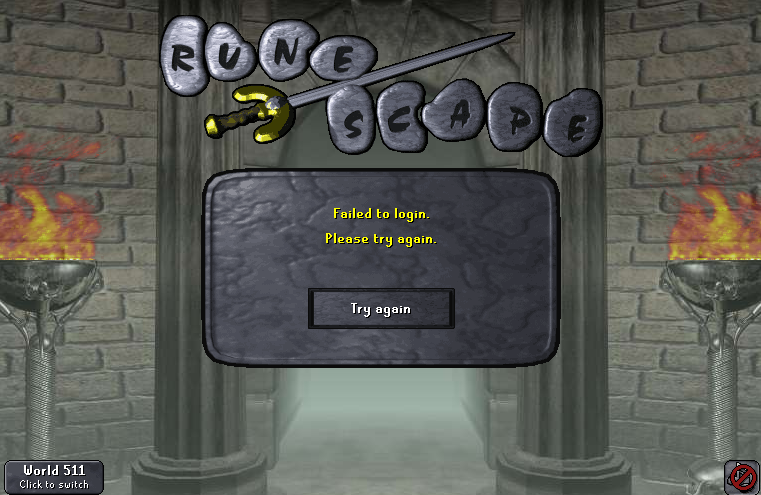
  2. same problem
  3. any idea how i can fix it ? fallows me second day now
  4. I only got this issue atm , yes i did restart , seem so every hop it gives you this error, timer seem so there is somewhat new after update
  5. Velnes started following Failed to login
  6. Hi all , am i alone expieriencing this atm?
  7. Ty guys for your work >3
  8. Lets hope it will be patch fast ^.^
  9. hi, can i get trail pass ? ^.^
  10. So does that mean we cannot use temp mails anymore? becouse it is asking for Vertication per each login..

Account

Navigation

Search

Configure browser push notifications

Chrome (Android)
  1. Tap the lock icon next to the address bar.
  2. Tap Permissions → Notifications.
  3. Adjust your preference.
Chrome (Desktop)
  1. Click the padlock icon in the address bar.
  2. Select Site settings.
  3. Find Notifications and adjust your preference.