Pinapple
Members
-
Joined
-
Last visited
Everything posted by Pinapple
-
same thing happened to meh
-
good questing. i try and go on for about 2 hours off for 1.
-
too many people getting banned right now...
-
yeah your account is gone mate
-
rock crabs for sure.. use breaks so u don't get banned
-
Yes i go to Pitt main campus in pittsburg. and u don't think that symantec anti would find it if i had one? its a pretty good antivirus.
-
-
I wouldn't worry too much. Make sure you break though
-
i only advise to continue botting if it is not your main. this ban wave is a killer
-
fagex is fcked. they don't even look at appeals.
-
good eye man. thanks a lot
-
got perm ban while notting at mage training arena. that could be considered combat and money making though
-
-
yeah no breaks = ban man. make sure u take at lease a 30 minute break for every hour notting
-
-
lol u should be good. very low bad rate.
-
lol ^^
-
-
They can ban you and not even tell you that you got banned?
-
Okay so i got my university technology helpers to install "Symantec Endpoint Protection" antivirus onto my computer and i ran the antivirus, and the scan came up clean. So there is no virus on my computer. after the scan i recovered my account and changed the password again via email. Then i once again tried to login immediately after( and a couple of minutes after) changing the password, and again it said invalid password. So are there any other explanations for this other than a key logger, because i am pretty sure that a keylogger/virus is out of the question.
-
sdaehrevo- Would simply running an antivirus program work? my university offers a free antivirus system so i will go and pick that up tomorrow. i already looked up every process on my activity monitor and none of them came up with being malware on the top google searches.
-
The only links i have been clicking were from actual jagex emails after i recovered the account. and i just called apple about the situation and they said that the chanced of someone key logging my mac are "astronomically slim". and yes i don't understand what the point of this is. it seems so bizarre I only had about 1m 07 gp on the account and my stats on 07 weren't that good. the only way i could see them keeping the account is if they wanted an account with good EOC stats, and lets face it, who cares about EOC? and they speed on the password change is impossible. I'm starting to think that jagex has something to do with this because i had an account banned yesterday using this same computer so maybe jagex is watching accounts coming from my IP address. and if they were key logging me, wouldn't they have gotten the username and password of my other account that i have been logging in and out of all day as well?
-
lastair have any recommendations for antivirus software for mac?
-
No i tried to get the account back using recovery questions and then i changed my password, and after jagex sent me an email confirming my password change i tried to log into my account using the new password and it said invalid password. I repeated the process and changed my password 1 more time and the same thing happened again (invalid password). How could this even be possible? i tried to log in immediately after changing the password, and like 5 minutes later both times.
-
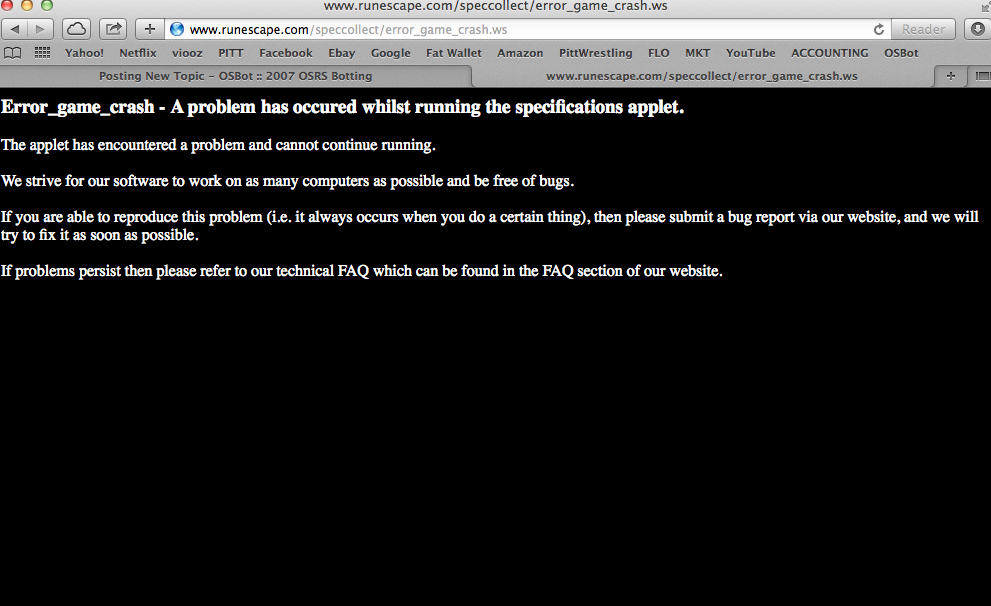
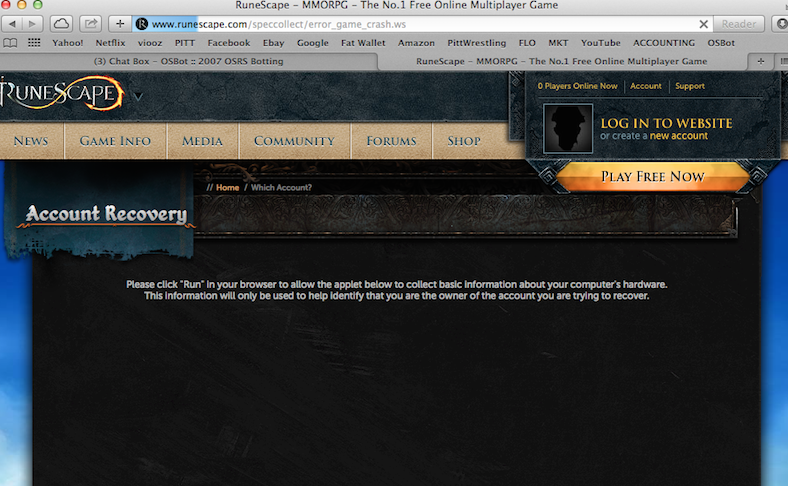
Okay so i never had the need to play off of runescape.com until now. So my account just got hijacked somehow, no clue how btw. but the password got changed on it so i am trying to use the website to log on and recover my account. every time i do i get an error message, and it won't allow me to use the website. the same thing also happens when i try and play the game off of runescape.com. i have a 2013 macbook pro. i have never ran into this problem when i used to use pc so i think it has to do with the setting on this computer. someone help. (P.S.) the error message happens shortly after the "please click run" page)