giggles
VIP C++
-
Joined
-
Last visited
-
Hey, could i get a trial of the cooking script? Thank you always, Khaleesi
-
Is anyone else having trouble downloading the client? For me, both Chrome and Edge absolutely refuse to allow the download, and my antivirus software is screaming about a Trojan. I don't see a way to attach screenshots. So, yeah, is anyone else having this issue? Giggles
-
Yeah, can't even download the client. Virus detected.
-
OSBOT is being registered as a virus.... what's up with that?
-
So... I need to buy all your scripts for a second time........? Also (at least for agility), it says lifetime, but in checkout it only says 10 years...
-
Yeah, I read that, but I cannot find the OSClient.exe... I can only get the jagex launcher
-
Not trying to use jagex accounts yet.. what client am i supposed to be using, and where do i get it?
-
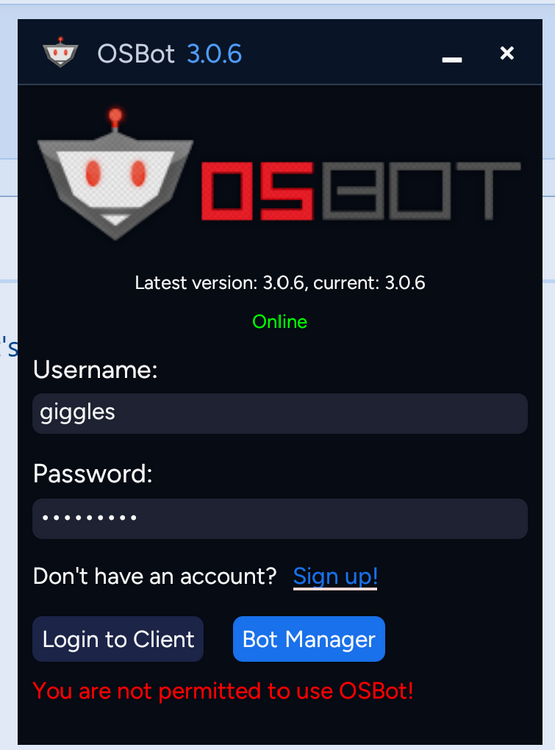
I might need some help here... "you are not permitted to use OSBot!" What's that about?
-
Alright, I'm sorry, I'm a bit late to this party. I just started playing again and so I'm trying to get things straight. Am I to understand that, because of the new "official" jagex account requirements, all of the osbot programs are down and we're waiting for everything to be reworked and available again with the new, required launcher?
-
Thank you Khaleesi. I knew it wasn't the script, but I could not find anything in the forums about it or about a paid subcription to remove it. Your solution did the trick. More importantly, thanks for being so active and responsive! =D Thank you.
-
Indeed. ^_^ Frustration more accurately describes the emotion... How could such a service actually throw ad banners into the mix that can be clicked on....? >.<
-
Is there any way to get rid of the advertisement banner that keeps popping up?????????? The keg balance script keeps clicking on it and opening chrome which makes it TOTALLY unusable! About to get refund....