gmcain09
Members
-
Joined
-
Last visited
-
Not to overstate - but this is so helpful. Thanks for taking the time to create a guide for newbies. This is much more concise and easy to understand than some of the YouTube tut's I've been using. Thanks again!
-
Is this still an active project? Hope all went well with the project, appreciate you sharing and love how you were able to pair a university project with OSBotting. If you are still looking for testers, I would be interested!
-
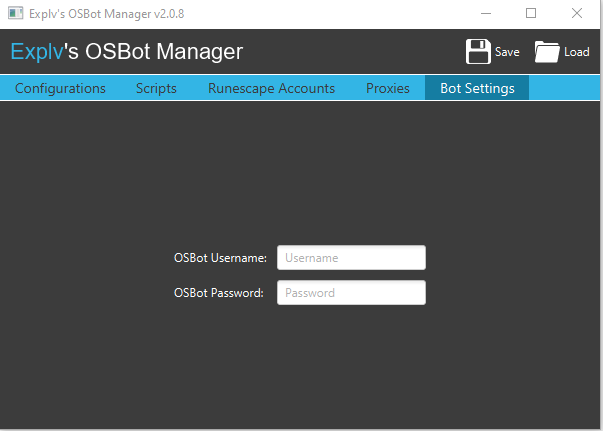
Hey everyone, Sorry, not to restate questions but I haven't been able to locate a solution for "Setting the path to OSBOT.jar" in Bot Settings. In the most up to date version (2.0.8) as of 7.12.20, all I can see is a username and password field for OSBOT. Trying set the path and get the login working so I can access SDN scripts, as of now I can only see local. Appreciate any help!