j0rd4n
Members
-
Joined
-
Last visited
-
No agility unfortunatelly I don't have the diaries done. I will try upper next week spending most weekend with blast furnace etc. Will let you know as I want to get 72 next week for upper, so will let you know how the west area gets on. Edit: I also notice that when I have fix struts on(not sure if its just for this) it always clicks around near the wheel to get to the sack. Which looks very suspicious. Again great bot and very small things to improve
-
No worries that is what Beta is for, I have stopped running it for now. But I have now noticed the normal mode is taking a while after it deposits coal. Maybe also look at this in non beta mode Great Bot though, have bought this and motherlode.
-
Using the beta for the mithril works well, only issue is when it should collect the mithril bars it banks, then goes to the mithril bars. This happens every time.
-
Interested in a trial please @Czar
-
Issue on the south east also.
-
Hi would the progressive levelling work for a Ironman?
-
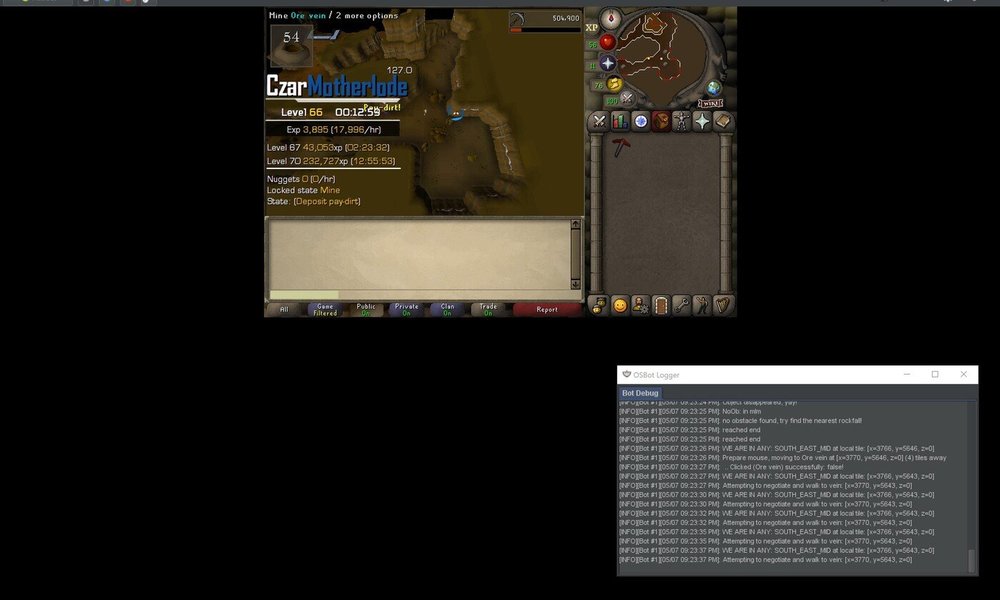
This is where I get stuck and the green dot is where it keeps trying to click(roughly).
-
Mine seems to get stuck on the northside behind the rocks, it keeps clicking on the map. But it doesn't work. I get stuck there untill I manually press passed it. This is downstairs, where is the best place to mine without issues on this ?