




Jump to content
View in the app

A better way to browse. Learn more.

OSBot :: 2007 OSRS Botting

A full-screen app on your home screen with push notifications, badges and more.

To install this app on iOS and iPadOS
  1. Tap the Share icon in Safari
  2. Scroll the menu and tap Add to Home Screen.
  3. Tap Add in the top-right corner.
To install this app on Android
  1. Tap the 3-dot menu (⋮) in the top-right corner of the browser.
  2. Tap Add to Home screen or Install app.
  3. Confirm by tapping Install.

nase39

Members
  • Joined

  • Last visited

  1. Can i have a trial? thanks!
  2. nase39 replied to Czar's topic in Thieving
    Hey can i try this out! thanks
  3. nase39 replied to ez11's topic in Combat & Slayer
    Hey can I have a trial? Thanks!!
  4. nase39 replied to Czar's topic in Agility
    PROGRESS JUST A FEW HOURS AFTER MY PREVIOUS POST... WOW... WHAT AN AMAZING SCRIPT! Same breaking intervals btw! 15/5 random each time!
  5. nase39 replied to Czar's topic in Agility
    What an amazing script! Here is my progress, 1-60 agility strictly using this bot (starting from gnome course!!) Rates in this progress pic are low because I enabled frequent breaks (15min before break/4min break time) but none the less what an amazing script! Went to bed and it ran flawlessly for 8+hours! love it!
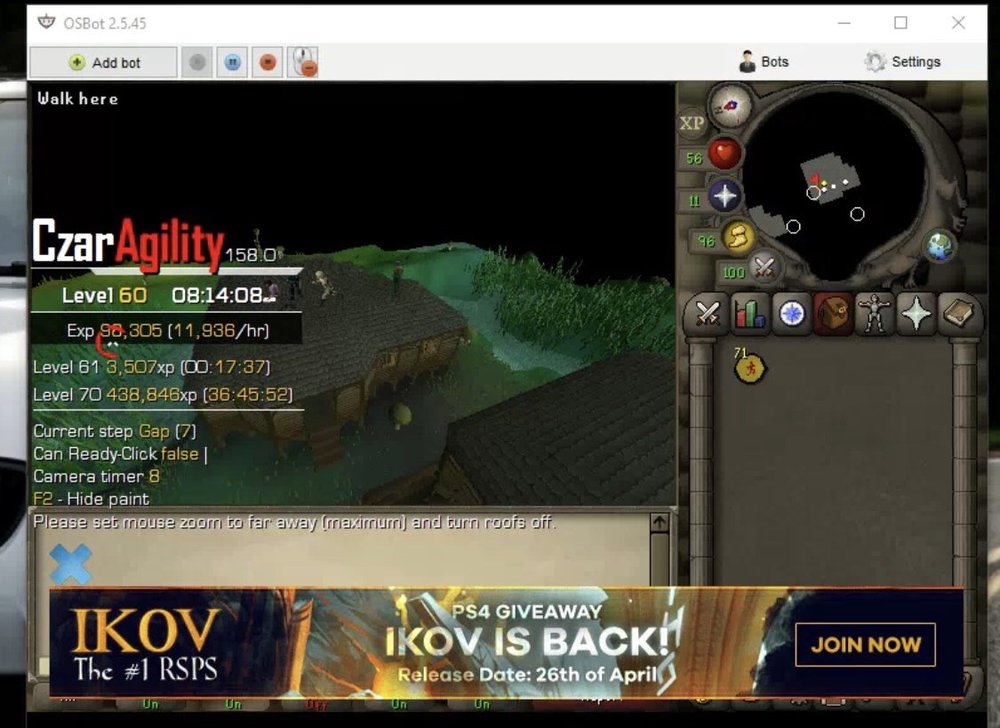
  6. can i try a free trial! thanks also btw love your agility script!!! 1-50 agil in two days with breaks! runs flawless

Account

Navigation

Search

Configure browser push notifications

Chrome (Android)
  1. Tap the lock icon next to the address bar.
  2. Tap Permissions → Notifications.
  3. Adjust your preference.
Chrome (Desktop)
  1. Click the padlock icon in the address bar.
  2. Select Site settings.
  3. Find Notifications and adjust your preference.