






christoffe9311
Members
-
Joined
-
Last visited
-
@CzarI have this working now it wasn't working because i wasn't selecting sand crabs lol. Overall good script and I've not been banned yet, one thing that it could do with is a 2 title support for example i like to dump my cannon in the middle of the ghouls and run south towards the grassy bits where they cant reach me if i select the cannon title it will afk near the cannon as i'm a pure i cant take all those hit so it would be nice if a 2nd tile could be set so it run back n forth between the two. Its basically a safe spot tile.
-
This is doing the exact same thing as perfect fighter, i load the script up, select my potions, food and sandcrabs then select start. It stands there and does nothing.
-
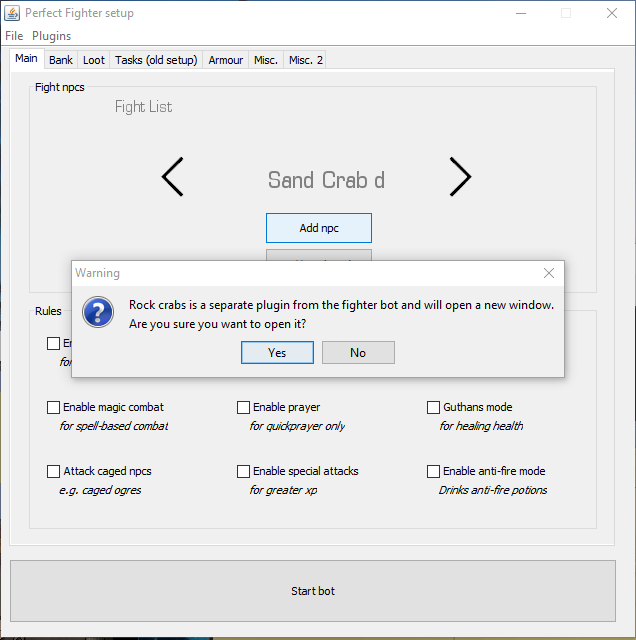
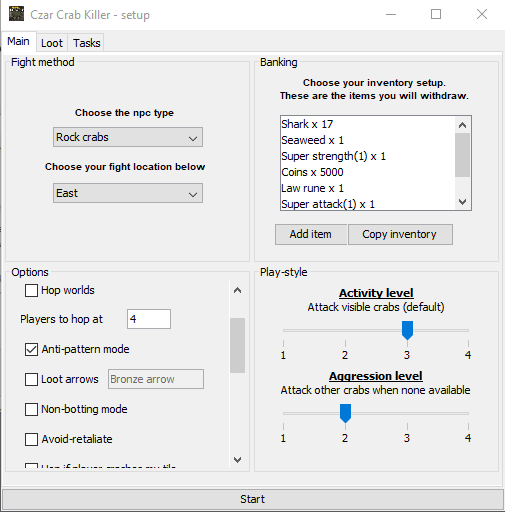
@CzarI click on load fighter then it detects the sand crabs i don't mess with any of the setting on the perfect fighter GUI because it diverts me to the other GUI for the sand crabs. When i get to the GUi for the sand crabs i select copy inventory, anti pattern mode then start, that's all i press. It loads up drinks a sip of each potion then stands still and does nothing. These scripts are a real pain the the backside to get working thats two different fighter bots doing the exact same thing. I remember the old school bots all i had to do was copy the java script into a notepad, place it in the scripts file then boom loads or without any issues.

-
This is awful it does nothing... I start the script up, select the npc which are sand crabs it then diverts me to the separate inputs for sand crabs, i click anti patern select inventory and press start. All it does it stand in one spot and uses up my potions.
-
could i get a trial for the sand crab script please. Thanks.
-
May i get a trial please? Thanks.


