
Jump to content
View in the app

A better way to browse. Learn more.

OSBot :: 2007 OSRS Botting

A full-screen app on your home screen with push notifications, badges and more.

To install this app on iOS and iPadOS
  1. Tap the Share icon in Safari
  2. Scroll the menu and tap Add to Home Screen.
  3. Tap Add in the top-right corner.
To install this app on Android
  1. Tap the 3-dot menu (⋮) in the top-right corner of the browser.
  2. Tap Add to Home screen or Install app.
  3. Confirm by tapping Install.

JRB

Members
  • Joined

  • Last visited

Everything posted by JRB

  1. Just bought 13m, The transaction went very well and the customer support are friendly and actually reply to you. (Unlike most websites)
  2. Already have your 'CzarMagic' and 'Perfect Thiever' (Guessing it's one of yours ) Any chance i could have a go at your Ranging guild script? Cheers in-advance!
  3. JRB replied to Czar's topic in Magic & Prayer
    Thank you so much! I've finally managed 99 magic all done by your script and it took no time at all! Managed 3-6 hours a day and no ban. Legend.

  4. JRB replied to Czar's topic in Magic & Prayer
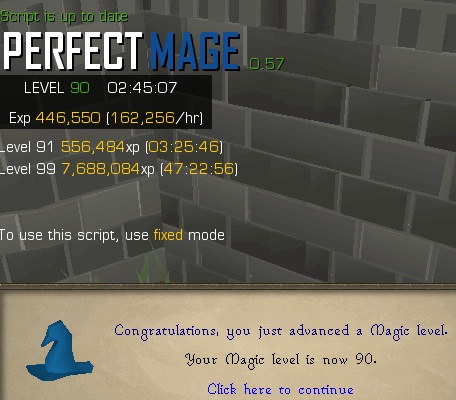
    Progress so far. Started at level 70 with the bot

  5. JRB replied to Czar's topic in Magic & Prayer
    Working well again Will buy another script later off of you.
  6. JRB replied to Czar's topic in Magic & Prayer
    Stun - alch with Yew longbows isn't working for me after the game updated. It comes up with 'Player doesn't have [Yew longbow], stopping script! - Great script by the way, has been working a real treat recently

Account

Navigation

Search

Configure browser push notifications

Chrome (Android)
  1. Tap the lock icon next to the address bar.
  2. Tap Permissions → Notifications.
  3. Adjust your preference.
Chrome (Desktop)
  1. Click the padlock icon in the address bar.
  2. Select Site settings.
  3. Find Notifications and adjust your preference.