






Dr Shrekel
Trade With Caution
-
Joined
-
Last visited
Everything posted by Dr Shrekel
-
yeah, private script or wait till v2Well if you did it by xp, 1 - 87 is low 87 - 92 is medium 92 - 99 is highOkay then; Low level is 1 - 33 Med level is 33 - 66 High level is 66 - 99 Or I guess you would actually do it by xp but I cba to work it out lulLow level is 1 - 42 Med level is 42 - 84 High level is 84 - 126Good shit - I've started using the same clicker you use Got it enchanting rings, and even selling the enchanted rings and restocking with normal ones after 2 invents
 Ok thanks - I'll check it outYeah, I am considering that route lol Lol yeah :PI think i'll get like 53 def if I get b glovesAccount 1: Account 2: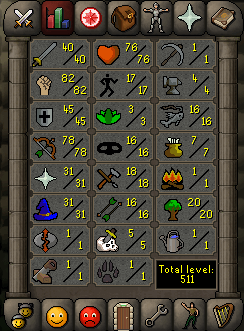
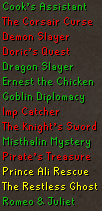
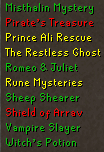




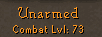
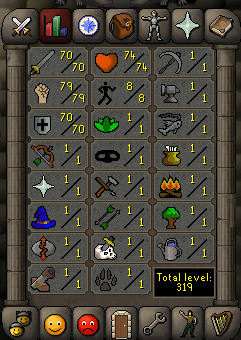
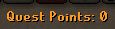
 Stats pic is still wrongLol yeah I remember hahaMining isn't the best money maker tbh, definitely need a high level.Must be a lady driver ;)OnlineIdk but that guys a police informer apparently lolHaha, I remember trying to download the entire blockchain for my first ever wallet and waiting 3 days for it all to configure before I realised I could just have an online oneIf you've never used bitcoin before, I can help you Buying BTC with paypal can be aids though, I usually buy my BTC with a debit card.



Account
Navigation
Search
Configure browser push notifications
Chrome (Android)
- Tap the lock icon next to the address bar.
- Tap Permissions → Notifications.
- Adjust your preference.
Chrome (Desktop)
- Click the padlock icon in the address bar.
- Select Site settings.
- Find Notifications and adjust your preference.
Safari (iOS 16.4+)
- Ensure the site is installed via Add to Home Screen.
- Open Settings App → Notifications.
- Find your app name and adjust your preference.
Safari (macOS)
- Go to Safari → Preferences.
- Click the Websites tab.
- Select Notifications in the sidebar.
- Find this website and adjust your preference.
Edge (Android)
- Tap the lock icon next to the address bar.
- Tap Permissions.
- Find Notifications and adjust your preference.
Edge (Desktop)
- Click the padlock icon in the address bar.
- Click Permissions for this site.
- Find Notifications and adjust your preference.
Firefox (Android)
- Go to Settings → Site permissions.
- Tap Notifications.
- Find this site in the list and adjust your preference.
Firefox (Desktop)
- Open Firefox Settings.
- Search for Notifications.
- Find this site in the list and adjust your preference.