




Jump to content
View in the app

A better way to browse. Learn more.

OSBot :: 2007 OSRS Botting

A full-screen app on your home screen with push notifications, badges and more.

To install this app on iOS and iPadOS
  1. Tap the Share icon in Safari
  2. Scroll the menu and tap Add to Home Screen.
  3. Tap Add in the top-right corner.
To install this app on Android
  1. Tap the 3-dot menu (⋮) in the top-right corner of the browser.
  2. Tap Add to Home screen or Install app.
  3. Confirm by tapping Install.

habdi

Members
  • Joined

  • Last visited

Everything posted by habdi

  1. found the issue. For some reason an option was checked for a random skill to be level x, to log me automatically off. silly me 🤣
  2. when superheating setup, it keeps logging me automatically off.
  3. i managed to get it working. After the second item the script was not doing anything. Manually helping the second item solved it for me. Now i have a organised bank again
  4. habdi replied to Token's topic in Others
    I've got banned almost instantly after running this script. I was using mirror mode after completing 4 quest i received ban.
  5. habdi replied to Khaleesi's topic in Minigames
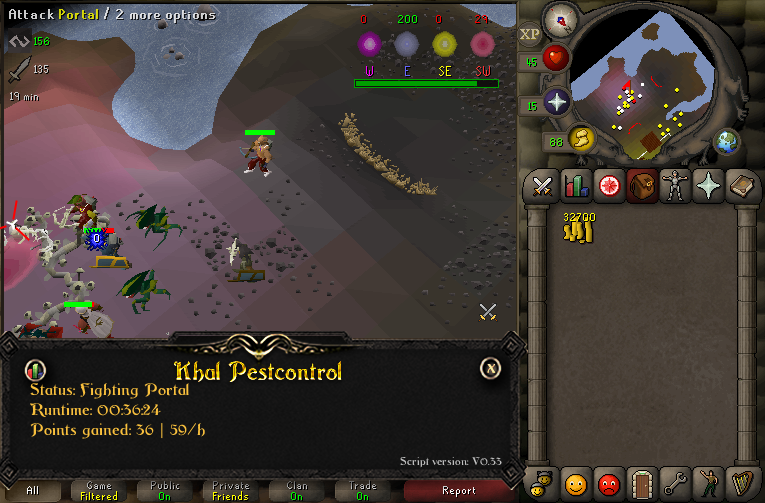
    this scipt is soo much better then the other pest control scripts!!
  6. habdi replied to Czar's topic in Minigames
    Hey Czar, cool you made a script. But this shit is not working for most people like you see. Also when people are adding feedback to your account, don't delete it. It makes you look like a scammer. I feel soo stupid i bought this piece of garbage!! I seriously hope other people WON'T BUY this script!
  7. habdi replied to Czar's topic in Minigames
    this script was a waste of money.. multiple times it does absolutely nothing!!! then the activity bar drops to 0 and don't receive anything... SERIOUSLY WASTE OF MONEY!!!

Account

Navigation

Search

Configure browser push notifications

Chrome (Android)
  1. Tap the lock icon next to the address bar.
  2. Tap Permissions → Notifications.
  3. Adjust your preference.
Chrome (Desktop)
  1. Click the padlock icon in the address bar.
  2. Select Site settings.
  3. Find Notifications and adjust your preference.