


Jump to content
View in the app

A better way to browse. Learn more.

OSBot :: 2007 OSRS Botting

A full-screen app on your home screen with push notifications, badges and more.

To install this app on iOS and iPadOS
  1. Tap the Share icon in Safari
  2. Scroll the menu and tap Add to Home Screen.
  3. Tap Add in the top-right corner.
To install this app on Android
  1. Tap the 3-dot menu (⋮) in the top-right corner of the browser.
  2. Tap Add to Home screen or Install app.
  3. Confirm by tapping Install.

Fangdud3

Members
  • Joined

  • Last visited

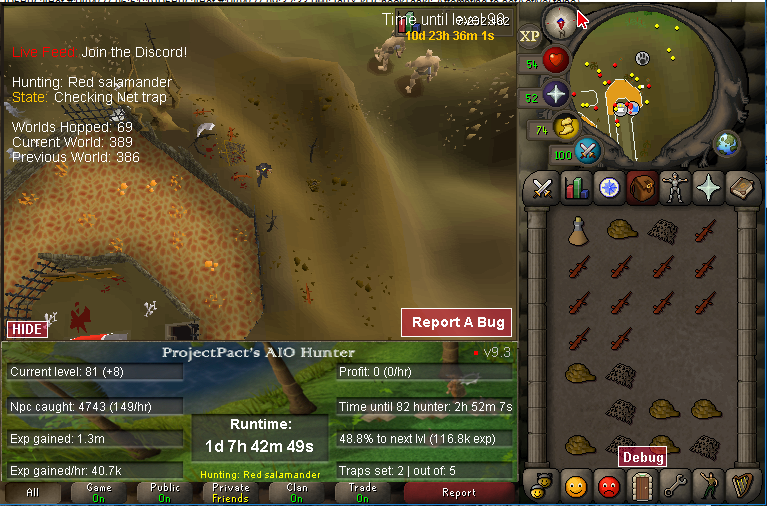
  1. red salamanders forcing 3 traps (internet disconnected this was my last screenshot)
  2. Fangdud3 replied to Tom's topic in Fishing & Cooking
    Hey tom could i too bum the osfisher
  3. Fangdud3 replied to Tom's topic in Fishing & Cooking
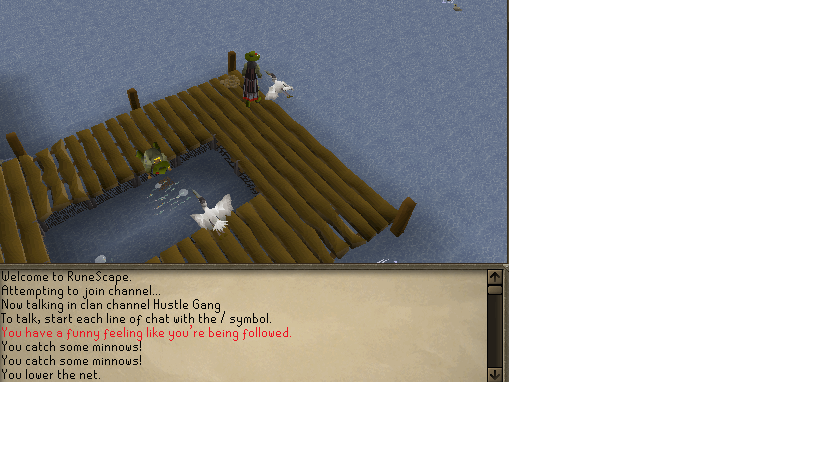
    got the pet with in 3 hours too with this script
  4. Fangdud3 replied to Tom's topic in Fishing & Cooking
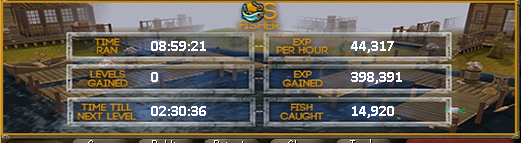
    love it i did 82-96 fishing and still fishing
  5. can i get a trial
  6. Bought gold from twc (took me a while cause im new to it but he walked me through it) decent price and he worked with me. Will buy again!
  7. Sweet! I know what I'm be running once I get home till the weekend!
  8. i paid for it and i only have 2 options.. simple and wine how do i select the make all selection?

Account

Navigation

Search

Configure browser push notifications

Chrome (Android)
  1. Tap the lock icon next to the address bar.
  2. Tap Permissions → Notifications.
  3. Adjust your preference.
Chrome (Desktop)
  1. Click the padlock icon in the address bar.
  2. Select Site settings.
  3. Find Notifications and adjust your preference.