Jump to content
View in the app

A better way to browse. Learn more.

OSBot :: 2007 OSRS Botting

A full-screen app on your home screen with push notifications, badges and more.

To install this app on iOS and iPadOS
  1. Tap the Share icon in Safari
  2. Scroll the menu and tap Add to Home Screen.
  3. Tap Add in the top-right corner.
To install this app on Android
  1. Tap the 3-dot menu (⋮) in the top-right corner of the browser.
  2. Tap Add to Home screen or Install app.
  3. Confirm by tapping Install.

Code Hero

Members
  • Joined

  • Last visited

Everything posted by Code Hero

  1. Hmm... I wonder what could be behind this censored name. Oh yeah:
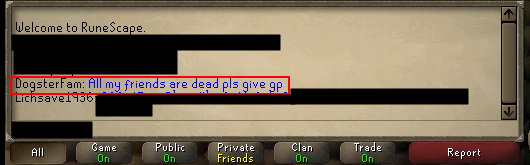
  2. Doubling money? Gambling? Verbal abuse?
  3. Naughty. I would say 90m.
  4. Code Hero replied to MGI's topic in Releases
    Thanks for the update!
  5. Good luck! I have some accounts for testing it.
  6. If there was a real change to the anti-bot system, they would keep it secret.
  7. I think this one takes the cake.
  8. Welcome and good luck! I strongly recommend following his advice both in goldfarming and in life. At the end of the day, you are the only person that really cares about your achievements and also the only person that is able to make a change/ difference.
  9. I think green dragons will get you banned really fast.
  10. Nice! Thanks mate
  11. Ideally you should go 1:1. (if you are not suicide botting)
  12. Couldn't agree more. Mithril pure?
  13. I read the first two lines and was ready to shitpost, then: Nice man! Lucky
  14. Tell me your horror story
  15. Dude Wasn't expecting that. Thanks a lot!

  16. Let's just say it was not a maxed account...

Account

Navigation

Search

Configure browser push notifications

Chrome (Android)
  1. Tap the lock icon next to the address bar.
  2. Tap Permissions → Notifications.
  3. Adjust your preference.
Chrome (Desktop)
  1. Click the padlock icon in the address bar.
  2. Select Site settings.
  3. Find Notifications and adjust your preference.