






Praeda
Members
-
Joined
-
Last visited
-
Does not start Blackjacking bandits whatsoever, regardless of what setting is chosen. Hangs on "calculating..." On the off chance it does start up, it will spam Knock-out on a bandit and not actually pickpocket. pickpocket Master Farmer looks like the only thing that works properly sol would avoid using this for ban
-
hey chief i'll post photos next time i get to my laptop. You're probably right about me buggering something up
-
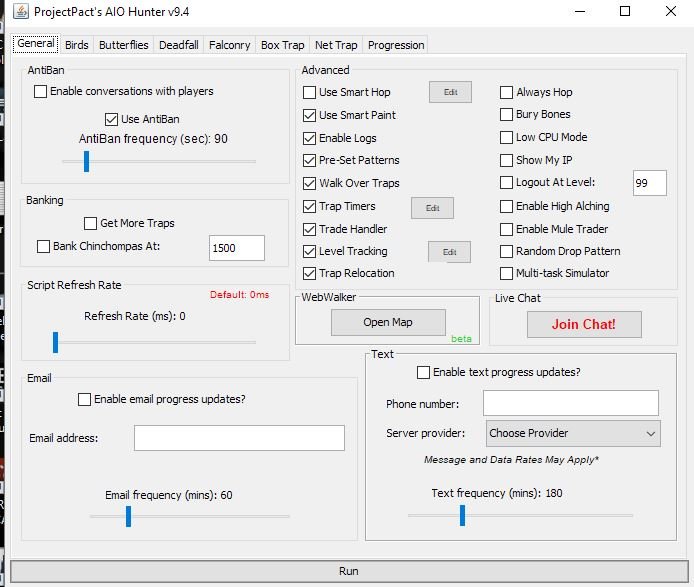
Log at level "X" turned OFF. Tested with it ON and set to 99 and still insta-logs me out? Wtf happened to this script Uploaded photo of settings used. Also tested running the script with M/KB input ENABLED and hotkeying off the world-select menu when your script tries to log out..and it makes 2 more attempts to log out instantly before the script turns itself off. Was mad for the first and only day it worked, now feels like a rip off as it can't run orange sals (which previously worked???????) without trying to log out.. ?
-
Been working fine up until now. Soon as you start script, it tabs to world change menu and clicks logout????
-
Works like a charm, mate. Using choccy cake, banks when you tell it too. Very nice ?



