




Jump to content
View in the app

A better way to browse. Learn more.

OSBot :: 2007 OSRS Botting

A full-screen app on your home screen with push notifications, badges and more.

To install this app on iOS and iPadOS
  1. Tap the Share icon in Safari
  2. Scroll the menu and tap Add to Home Screen.
  3. Tap Add in the top-right corner.
To install this app on Android
  1. Tap the 3-dot menu (⋮) in the top-right corner of the browser.
  2. Tap Add to Home screen or Install app.
  3. Confirm by tapping Install.

Kracteristic

Members
  • Joined

  • Last visited

  1. You are a champion. I removed my legs and chest to fight Karil. Thank you for the quick response.
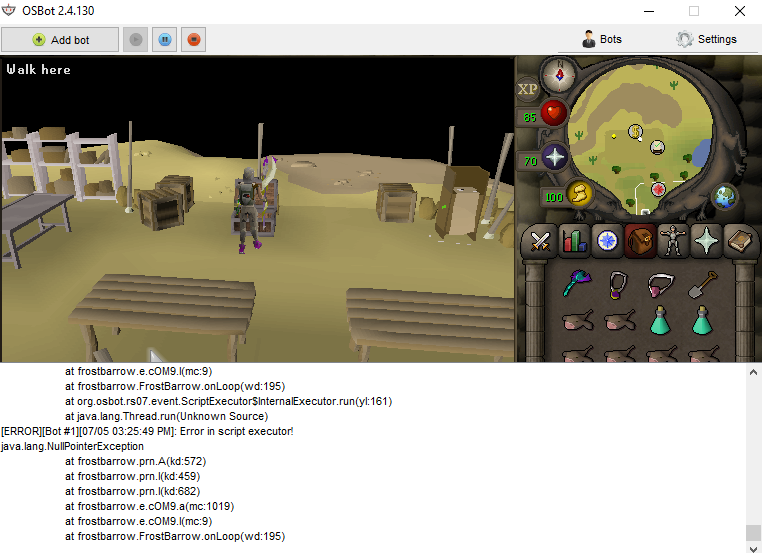
  2. I seem to be running into an issue where my client/bot crashes after exiting the bank at the status "Organizing inventory." I've been using the clan wars bank and teletabs to teleport there. Now it doesn't stop responding, but there's a heavy frame drop and I can't click on anything. I have to exit using task manager. In addition, even though i can see things on the logs (ish because it happens so fast), they don't register in my log folder. Here is a screenshot if it helps.
Account

Navigation

Search

Configure browser push notifications

Chrome (Android)
  1. Tap the lock icon next to the address bar.
  2. Tap Permissions → Notifications.
  3. Adjust your preference.
Chrome (Desktop)
  1. Click the padlock icon in the address bar.
  2. Select Site settings.
  3. Find Notifications and adjust your preference.
