Thison
Scripter II
-
Joined
-
Last visited
Everything posted by Thison
-
L
-
As I now have owner rights to Fury AIO Looter, I'll be giving out the Trials when it's fully back online. Feel free to DM me via discord or here on OSBot itself!
-
I’ll have a look at that asap
-
Was not yet added, but I'm currently working in it. Shouldn't take more than a day! (plus the time for the admins to check my updates and validate them)
-
-
Howdy! Startup GUI: Logo made by myself!! This is Monki Bank Seller Literally all it does it sell your (entire) bank. - On startup you will have to select what bank tabs you'd like to sell. - It will walk to the Grand Exchange, get the right items out of your bank, and start selling them!! - It will ignore untradable, members (if you're not in a members world), and restricted items if your account is brand new! - CLI support! (scriptID 1155, parameter should be all bankTabs that the bot has to sell, example 1155:0589 -> will sell the main tab, as well as tab 5, 8, and 9.) x~x~ Available on the SDN ~x~x
-
Cool!
-
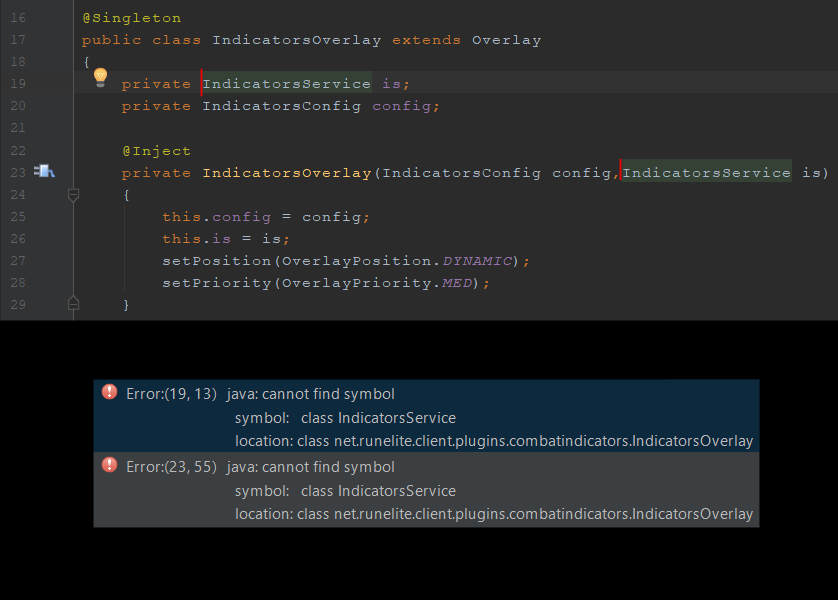
Nevermind, fixed this by deleting and re-pasting the class...
-
Dear, So I started making my own RuneLite plugin as I couldn't find a suitable plugin for what I wanted, but it somehow does not work. In attachment you'll find my error, even though the error doesn't help a lot. Replying here would suffice,