Jump to content
View in the app

A better way to browse. Learn more.

OSBot :: 2007 OSRS Botting

A full-screen app on your home screen with push notifications, badges and more.

To install this app on iOS and iPadOS
  1. Tap the Share icon in Safari
  2. Scroll the menu and tap Add to Home Screen.
  3. Tap Add in the top-right corner.
To install this app on Android
  1. Tap the 3-dot menu (⋮) in the top-right corner of the browser.
  2. Tap Add to Home screen or Install app.
  3. Confirm by tapping Install.

lolpo112

Members
  • Joined

  • Last visited

Everything posted by lolpo112

  1. Best of luck Man
  2. price check pleaserino
  3. lolpo112 replied to azn2000's topic in Goals
    gl ma guy
  4. Thanks lads, didnt knew ?
  5. look at title lmk how much
  6. Hi The account got : Full void Mage/Range, mage cape I, ava and the regicide quest done 77 magic 76 range 52 prayer lmk thx boiiss
  7. Lolpo112#9816
  8. made this account while learing how to script x)
  9. lolpo112 replied to sweets's topic in Requests
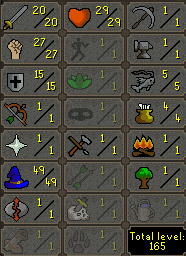
    I'm making a account which is almost ready, full void range/mage 76 mage 75 range full quest line, godcape (i), ava's, 52 pray lmk
  10. lolpo112 replied to niyajuan's topic in Spam/Off Topic
    the whole inazuma eleven seasons, and black clover which is airing rn and is on ep 52
  11. can i have the trial for the sand crabs if the script is working thx m8

Account

Navigation

Search

Configure browser push notifications

Chrome (Android)
  1. Tap the lock icon next to the address bar.
  2. Tap Permissions → Notifications.
  3. Adjust your preference.
Chrome (Desktop)
  1. Click the padlock icon in the address bar.
  2. Select Site settings.
  3. Find Notifications and adjust your preference.