
Jump to content
View in the app

A better way to browse. Learn more.

OSBot :: 2007 OSRS Botting

A full-screen app on your home screen with push notifications, badges and more.

To install this app on iOS and iPadOS
  1. Tap the Share icon in Safari
  2. Scroll the menu and tap Add to Home Screen.
  3. Tap Add in the top-right corner.
To install this app on Android
  1. Tap the 3-dot menu (⋮) in the top-right corner of the browser.
  2. Tap Add to Home screen or Install app.
  3. Confirm by tapping Install.

Sinx

Members
  • Joined

  • Last visited

Everything posted by Sinx

  1. Selling 500M 07 Drop rates below Accepting BTC -- PayPal / Cashapp -- If trusted.
  2. ill take all with MM message me on discord LIFE#7535
  3. I am interested Added u on DISCORD
  4. it does have mith gloves
  5. Even with 99 agility?
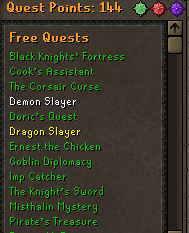
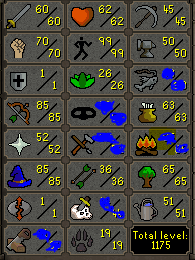
  6. Need a Price check on pure 100% Hand Trained Combat 64 Has desert treasure Please let me know how much u think this will go for
  7. Ill buy all - Add me on skype: Nbgviral
  8. can sell u 150m .67 PP
  9. can sell u 150 for .65 PP with Middle Man
  10. .68 for 150M 07
  11. Hey, everyone I started a Fortnite Community for all level of skilled Fortnite players we just hit 100 Members in the matter of 3 days we are rapidly growing!!! So let me know if you are interested below or you can add me on discord and ill hit u up with an invite !! Viral#2856
  12. i need 100M broski pm me
  13. .84 lowest
  14. 0.84-0.88 per mill. PayPal balance ONLY !!!!!!!! NO CARDS Post your details below and I’ll contact you if I’m interested. I may ask for ID if not trusted: Selling 150m (* 25m at least min.)
  15. Sinx replied to Sinx's topic in Runescape 2007
    yeah i have paypal balance
  16. Sinx posted a topic in Runescape 2007
    Buying 80M Via PayPal need ASAP
  17. Sinx replied to LOL_152's topic in Accounts
    150M
  18. Selling 22M for 1.05 via PP @
  19. I can sell u 50m right now my skype : nbgviral
  20. 1.10 Per Mill

Account

Navigation

Search

Configure browser push notifications

Chrome (Android)
  1. Tap the lock icon next to the address bar.
  2. Tap Permissions → Notifications.
  3. Adjust your preference.
Chrome (Desktop)
  1. Click the padlock icon in the address bar.
  2. Select Site settings.
  3. Find Notifications and adjust your preference.