
Jump to content
View in the app

A better way to browse. Learn more.

OSBot :: 2007 OSRS Botting

A full-screen app on your home screen with push notifications, badges and more.

To install this app on iOS and iPadOS
  1. Tap the Share icon in Safari
  2. Scroll the menu and tap Add to Home Screen.
  3. Tap Add in the top-right corner.
To install this app on Android
  1. Tap the 3-dot menu (⋮) in the top-right corner of the browser.
  2. Tap Add to Home screen or Install app.
  3. Confirm by tapping Install.

Angels

Trade With Caution
  • Joined

  • Last visited

Everything posted by Angels

  1. Angels replied to Prolax's topic in Spam/Off Topic
    Damn
  2. Increments. I always rwt on my main. All good
  3. Add my skype: angelsosbot@gmail.com
  4. best of luck!
  5. Yo

    Angels replied to Oppai's topic in Introductions
    Welcome!
  6. Angels replied to d3athchannel's topic in Introductions
    Welcome and gl!
  7. Good day sir
  8. You lasted quite a while. That script always hits me with bans
  9. Angels replied to Wintows's topic in Introductions
    Welcome!
  10. Angels replied to RunOut's topic in Introductions
    Welcome!
  11. Can do this if still needed.
  12. Nice to see that this is still going, keep it up!
  13. Angels replied to bigred999's topic in Requests
    Add my skype: angelsosbot@gmail.com
  14. Don't jinx it
  15. Angels replied to Insomniaa's topic in Introductions
    Hey
  16. Angels replied to Alek's topic in Releases
    thanks!
  17. I can take some. Add my skype: angelsosbot@gmail.com
  18. add my skype: angelsosbot@gmail.com
  19. hobogoblins seem to work best for me
  20. Angels replied to Alek's topic in Releases
    thanks
  21. Angels posted a topic in Botting & Bans
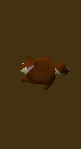
    I usually run a suicide hunter bot during the weekend. It's been suiciding for exactly 24 hours now and to my luck I got a red chin pet! Idk if I'm in for a ban yet, but should I stop botting or continue botting anyway because I'll get banned by Monday?
  22. Thanks for the update
  23. Angels posted a topic in Spam/Off Topic

Account

Navigation

Search

Configure browser push notifications

Chrome (Android)
  1. Tap the lock icon next to the address bar.
  2. Tap Permissions → Notifications.
  3. Adjust your preference.
Chrome (Desktop)
  1. Click the padlock icon in the address bar.
  2. Select Site settings.
  3. Find Notifications and adjust your preference.