Jump to content
View in the app

A better way to browse. Learn more.

OSBot :: 2007 OSRS Botting

A full-screen app on your home screen with push notifications, badges and more.

To install this app on iOS and iPadOS
  1. Tap the Share icon in Safari
  2. Scroll the menu and tap Add to Home Screen.
  3. Tap Add in the top-right corner.
To install this app on Android
  1. Tap the 3-dot menu (⋮) in the top-right corner of the browser.
  2. Tap Add to Home screen or Install app.
  3. Confirm by tapping Install.

aageoth

Members
  • Joined

  • Last visited

Everything posted by aageoth

  1. aageoth replied to Arjen's topic in Price Check
    15m ish
  2. around 2-300m but thats with the items included
  3. I would say around 70m
  4. aageoth replied to aageoth's topic in Price Check
    exactly! thank you, Lehto =)
  5. aageoth replied to aageoth's topic in Price Check
    It took a lot of hours lol, but i enjoy doing cw so its not a problem for me
  6. aageoth posted a topic in Price Check
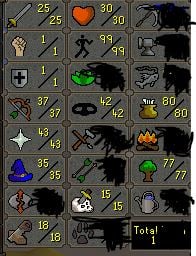
    1 str/attk/def 82 magic 77 rang 15 pray animal magnetism done Also halo and decorative rang top
  7. Way more than 65m lol thats for sure.
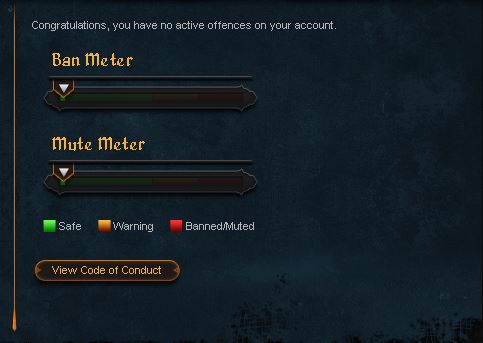
  8. Never botted or anything like that, 100 % hand made. The account is a few years old. Account is 100 % clean. Fire cape (2nd lowest in game) Untrimmed agility cape, agility pet, full graceful, cw tickets ++ stats:
  9. 300m +
  10. aageoth replied to Pixelated's topic in Price Check
    around 20m
  11. Hi, can I have a trial please? Cheers
  12. Hi, script looks good:) Can I have a trial? Cheers!
  13. Yo Looks sick! Can I have a trial please? Thank you, sir.
  14. Hi bro, could I have a trial? Cheers
  15. Yo bro, can I have a trial?
  16. aageoth replied to Khaleesi's topic in Agility
    Hey:) May I have a trial? Thansk!
  17. Hi, can I get a trial please? Thank you sir.
  18. aageoth replied to Khaleesi's topic in Agility
    hey script trial pls?
  19. aageoth replied to Czar's topic in Agility
    Hi, can I have a trail please?
  20. can i have a trial please?

Account

Navigation

Search

Configure browser push notifications

Chrome (Android)
  1. Tap the lock icon next to the address bar.
  2. Tap Permissions → Notifications.
  3. Adjust your preference.
Chrome (Desktop)
  1. Click the padlock icon in the address bar.
  2. Select Site settings.
  3. Find Notifications and adjust your preference.