Explv
Scripter II
-
Joined
-
Last visited
Everything posted by Explv
-
 Currently you only mine a new rock if your player isn't animating, so of course it will wait for the animation to complete. You should try doing something like this instead: private RS2Object rock = null; @Override public int onLoop() throws InterruptedException { // If we haven't looked for a rock yet, or the player isn't animating, or the current rock no longer has Clay if (rock == null || !myPlayer().isAnimating() || !Rock.CLAY.hasOre(rock)) { // Find a new rock rock = getObjects().closest(object -> Rock.CLAY.hasOre(object)); // If a rock exists, and we successfully interact with it if (rock != null && rock.interact("Mine")) { new ConditionalSleep(3000, 500) { // Sleep for 3 seconds or until... @Override public boolean condition() throws InterruptedException { // The player is animating, or someone else mined the rock return myPlayer().isAnimating() || !Rock.CLAY.hasOre(rock); } }.sleep(); } } }
 -
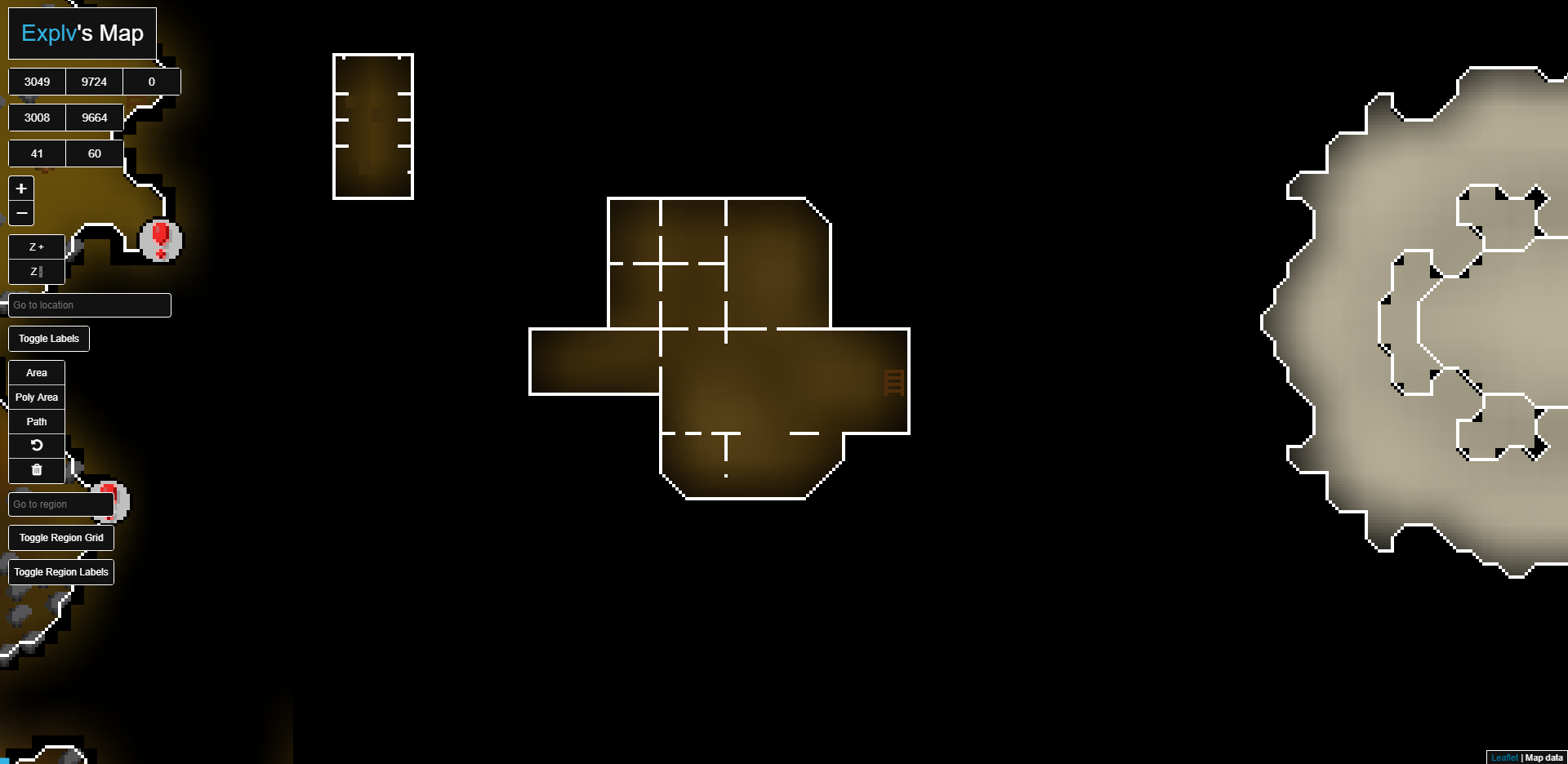
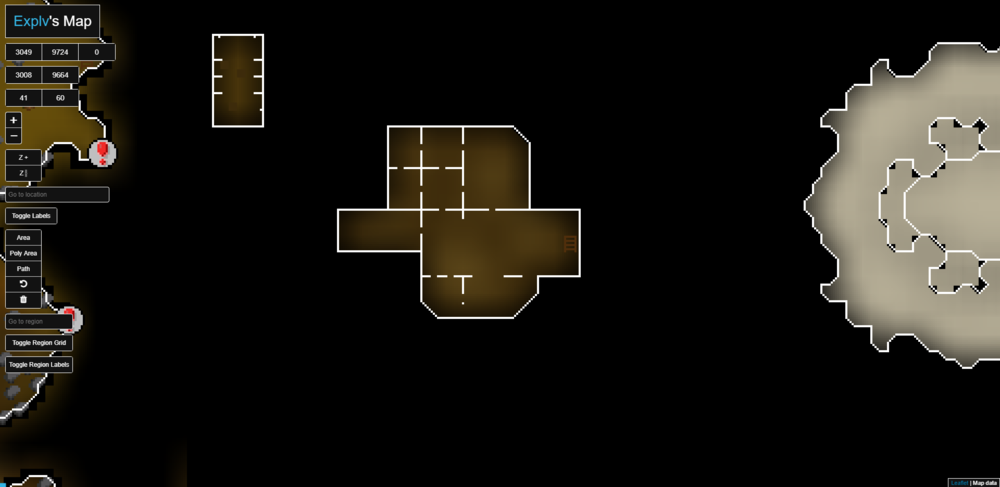
Go to 3105, 9754, 0 (You can type the coordinates into the coordinates boxes)
-
I just added the underground areas in a recent update ill work on making them more easily accessible and also adding the map labels back
-
Yes that is an official osbuddy price list
-
Pushed an update, will be available when the SDN is next updated.
-
Sure, i'll take a look at updating the map
-
Congrats on your first script, good job As for feed back: That Helper class should not exist, it doesn't add any benefit. You should just make the getWidgets() and getObjects() calls in the "Main" class Don't use IDs for widgets, the IDs can change and then your script will break. You should find the widgets based on text, actions etc. Your functions like isAtBucketArea don't really add anything, it's just as clear to read milkArea.contains(myPlayer()) You should use configs for quests rather than using your Progress enum and setting after each completed task You should only sleep if an interaction is successful, for example if (blah.interact()) { sleep } tempitem variable should be removed, just create a local variable when required If you follow the above advice your script will be far more succinct and maintainable.
-
That's going to be off by 1, totalLevel should be initialised to 0 Alternative using streams: int totalLevel = Arrays.stream(Skill.values()) .mapToInt(skill -> getSkills().getStatic(skill)) .sum();
-
If you want to compare String values, you should use .equals() entity.getName().equals("Chicken") == Compares Object references, not values
-
OSBot is written using swing, makes sense to keep using swing in scripts. Can't use FXML/ CSS on the SDN so there's really not much benefit to using JavaFX anyway. Some Java versions don't come with Java FX, and would mean more annoying bug reports from clueless users
-
This script is outdated, you can use this one instead until I update it: https://github.com/Explv/Tutorial-Island/releases
-
Updated for new display name change
-
Just use your own method to take a "screenshot". The first function will save a screenshot as C:\Users\Username\OSBot\Data\YourScriptName\Screenshots\RSAccountName\yyyy.MM.dd_HH.mm.ss.png The second function will save a screenshot as C:\Users\Username\OSBot\Data\YourScriptName\Screenshots\RSAccountName\SpecifiedImageName.png import org.osbot.rs07.Bot; import org.osbot.rs07.canvas.paint.Painter; import org.osbot.rs07.script.Script; import javax.imageio.ImageIO; import java.awt.*; import java.awt.image.BufferedImage; import java.io.File; import java.io.IOException; import java.nio.file.Paths; import java.time.LocalDateTime; import java.time.format.DateTimeFormatter; public class ScreenshotUtil { private static final DateTimeFormatter dateFormat = DateTimeFormatter.ofPattern("yyyy.MM.dd_HH.mm.ss"); public static void takeScreenshot(final Bot bot) throws IOException { takeScreenshot(bot, dateFormat.format(LocalDateTime.now()) + ".png"); } public static void takeScreenshot(final Bot bot, final String imageName) throws IOException { Script currentScript = bot.getScriptExecutor().getCurrent(); String scriptName = currentScript.getName(); File screenshotDir = Paths.get(currentScript.getDirectoryData(), scriptName, "Screenshots", bot.getMethods().myPlayer().getName()).toFile(); if (!screenshotDir.exists()) { screenshotDir.mkdirs(); } BufferedImage gameBuffer = bot.getCanvas().getGameBuffer(); if (gameBuffer == null) { return; } BufferedImage outImage = GraphicsEnvironment.getLocalGraphicsEnvironment() .getDefaultScreenDevice() .getDefaultConfiguration() .createCompatibleImage(gameBuffer.getWidth(), gameBuffer.getHeight(), 1); Graphics2D graphics = outImage.createGraphics(); graphics.drawImage(gameBuffer, 0, 0, null); for (final Painter painter : bot.getPainters()) { painter.onPaint(graphics); } graphics.dispose(); File outputFile = Paths.get(screenshotDir.getAbsolutePath(), imageName).toFile(); ImageIO.write(outImage, "PNG", outputFile); } }
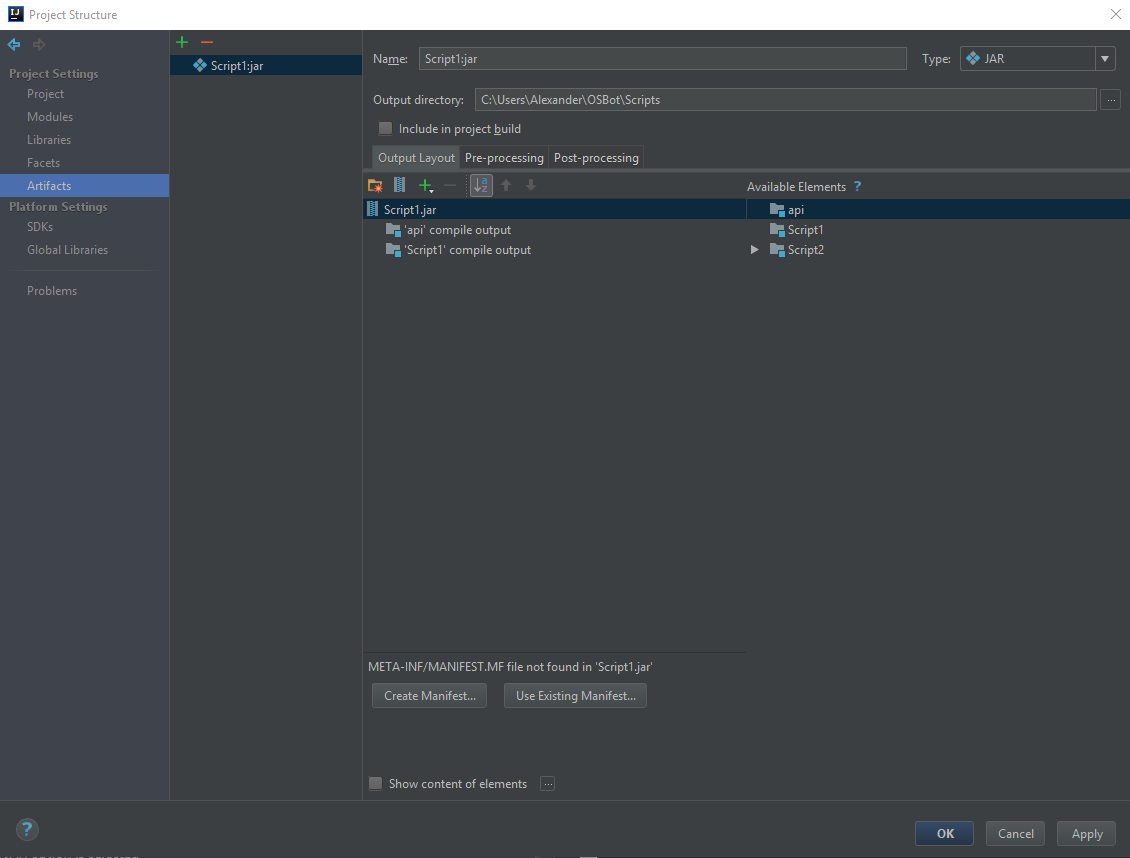
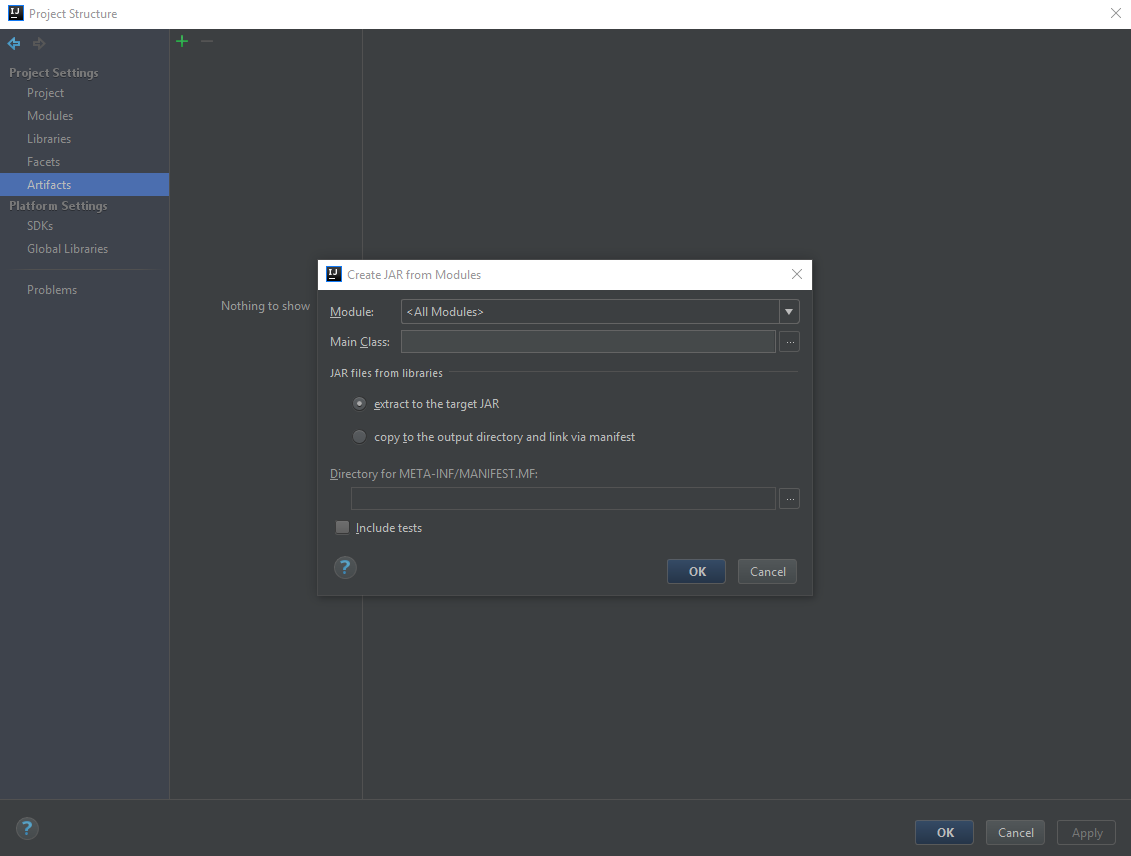
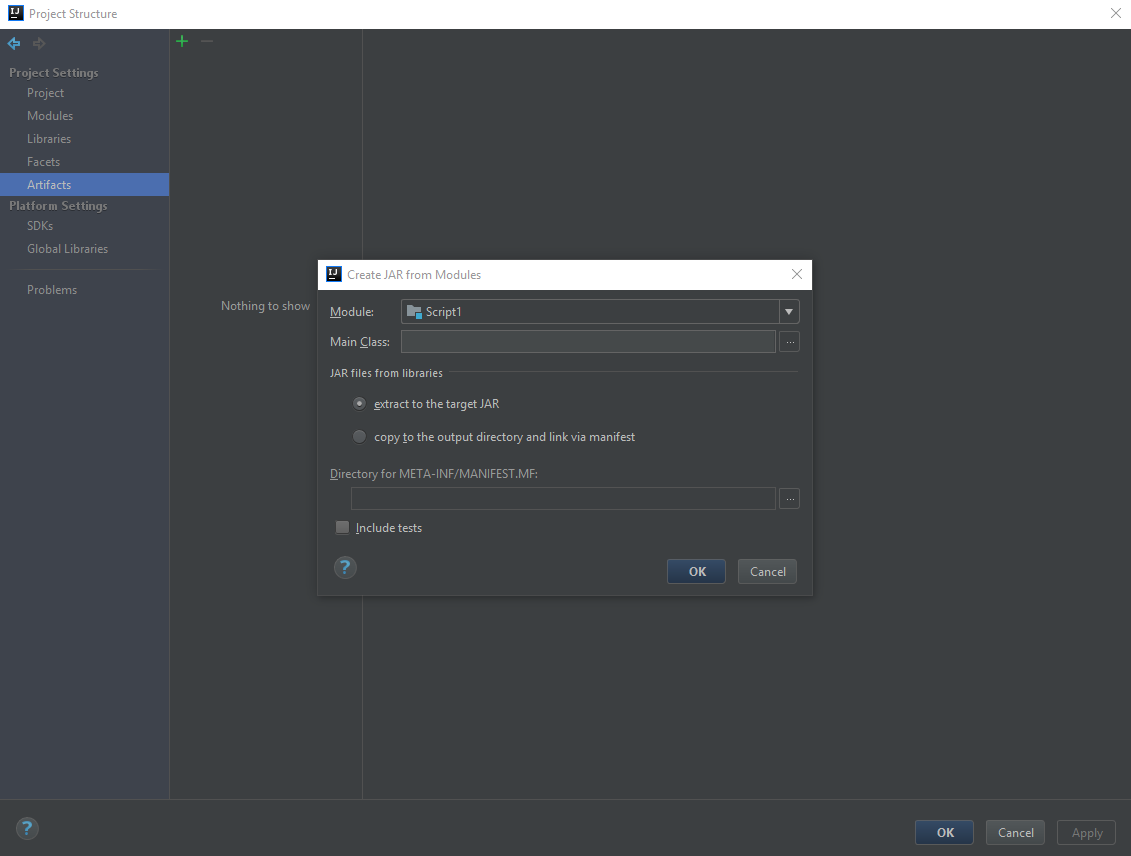
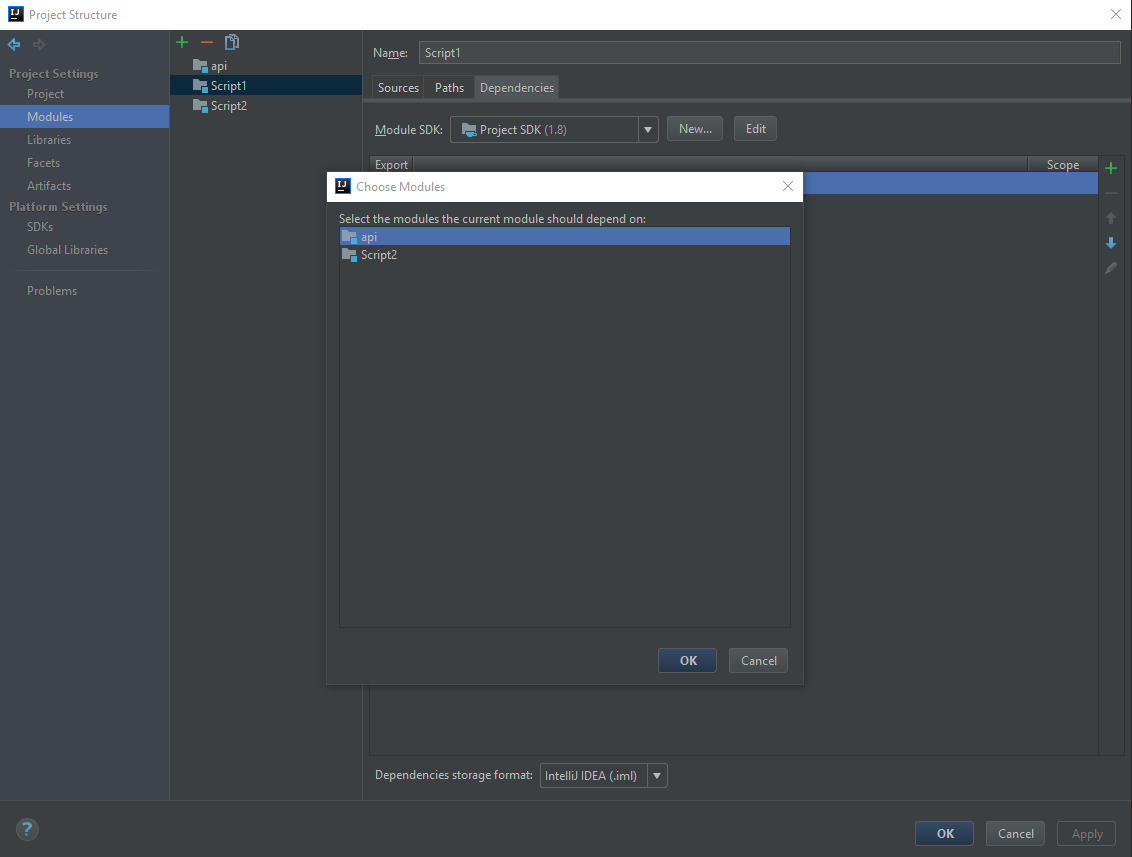
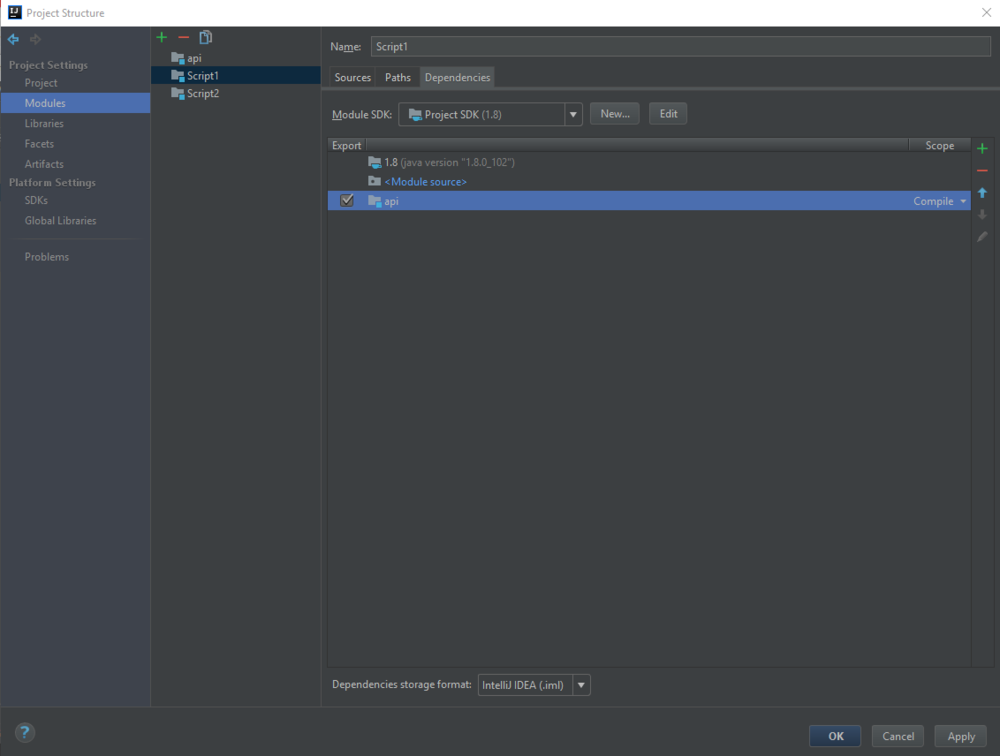
For the module that you want to use the api in (assuming the api is a module), open up the settings, navigate to Modules, and select dependencies Click the green + and select Module dependency... Select your API module, and tick the Export box, select Apply Now when creating an artifact, instead of selecting JAR -> Empty, select JAR -> From modules with dependencies... Select your script module, and make sure the extract to the target JAR option is selected Now your API should be linked, and output into your .jar
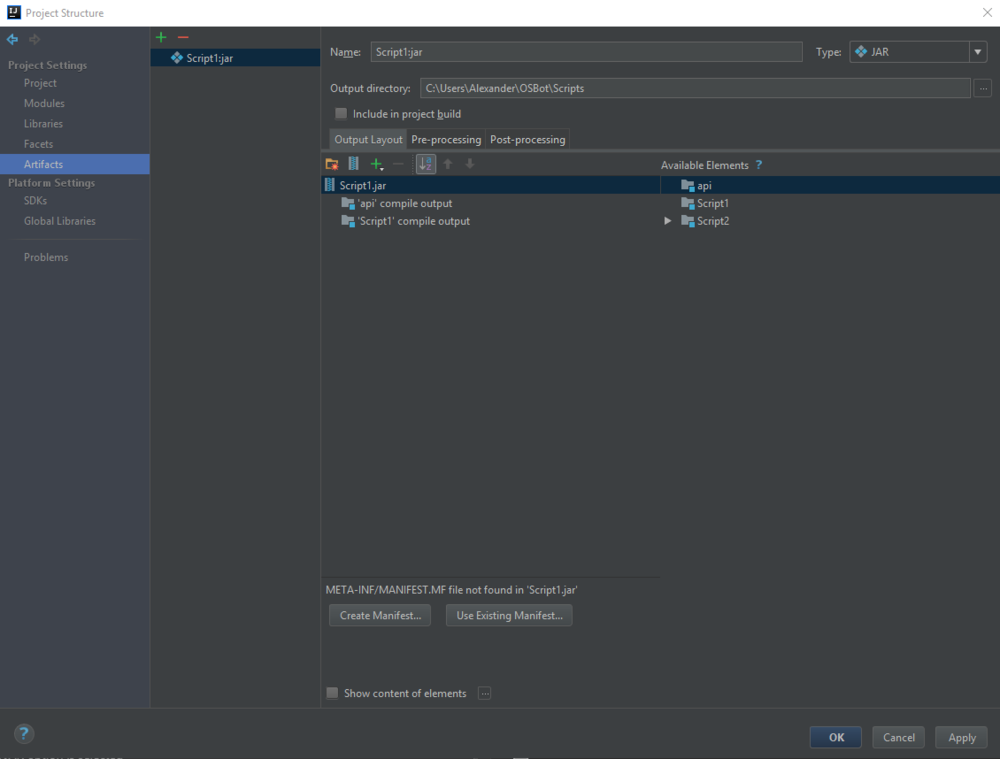
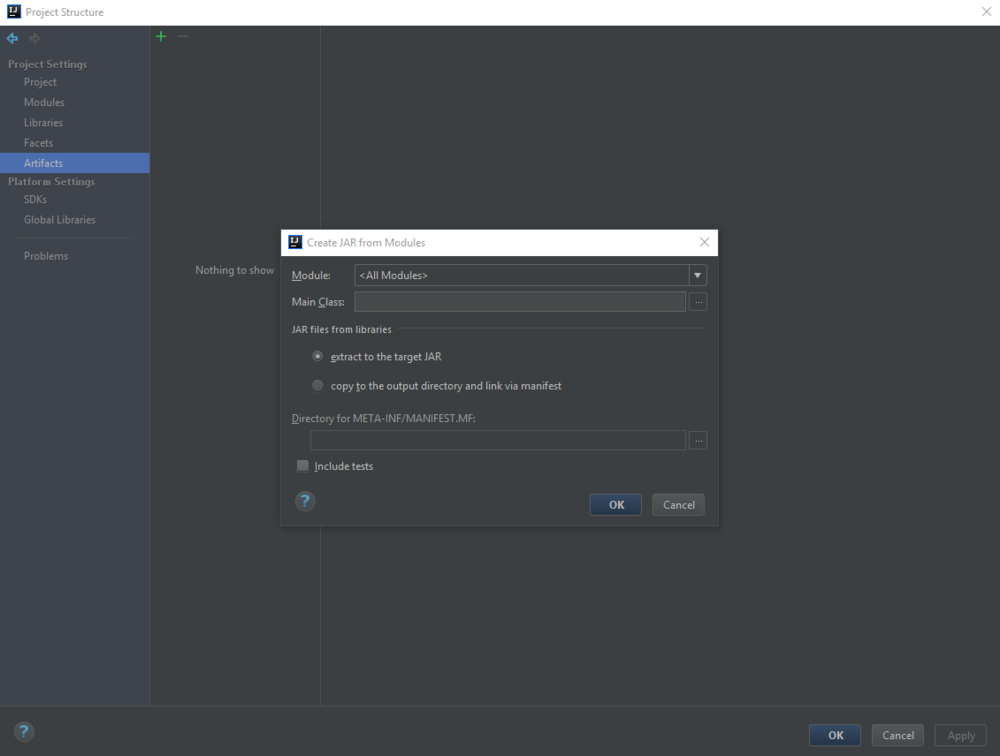
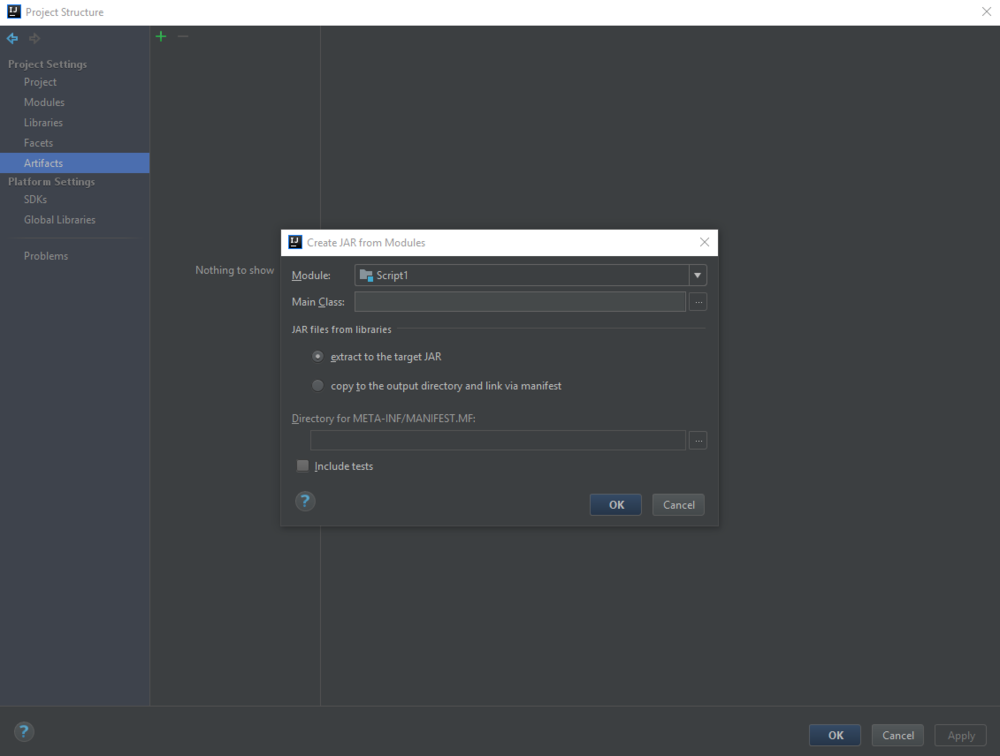
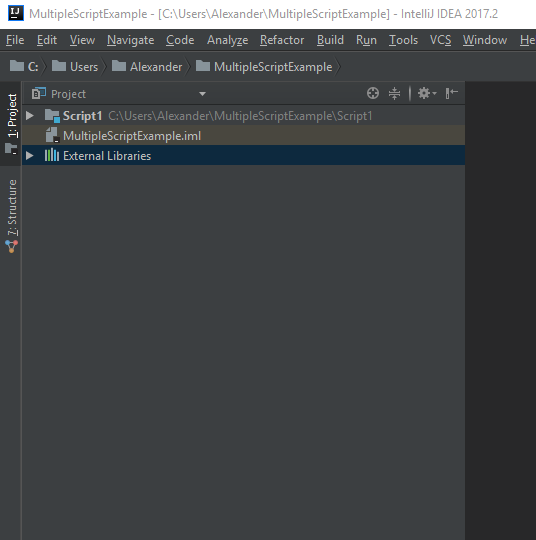
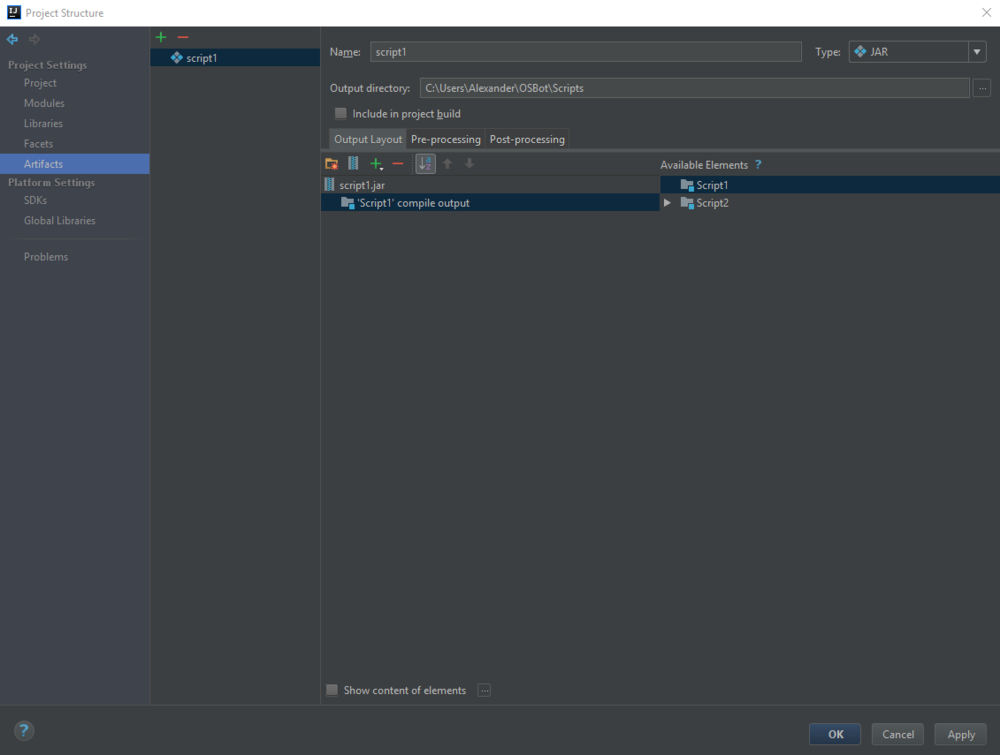
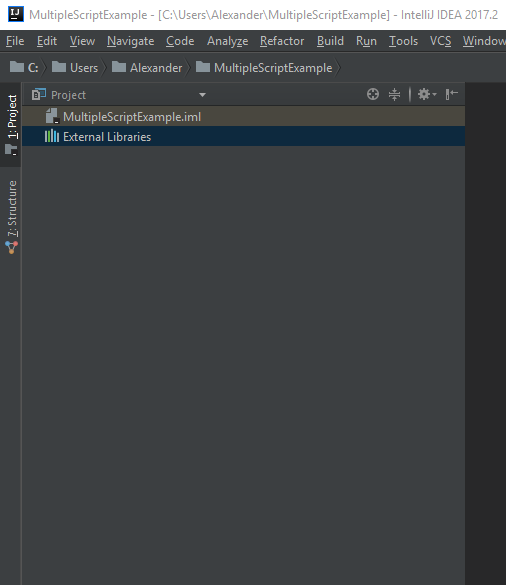
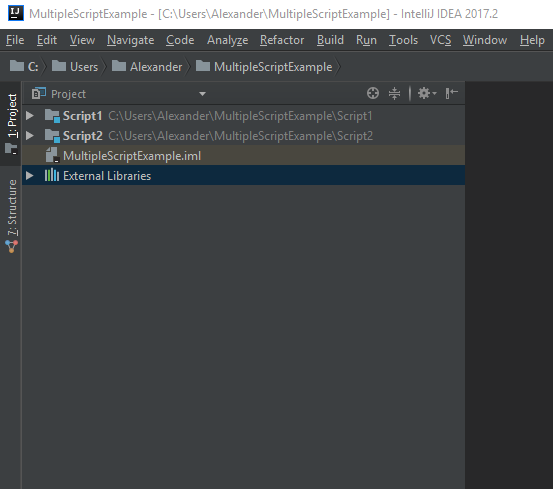
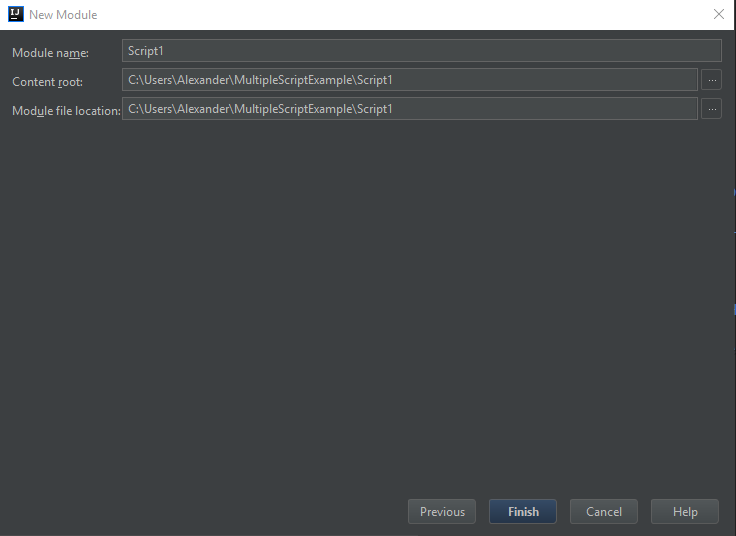
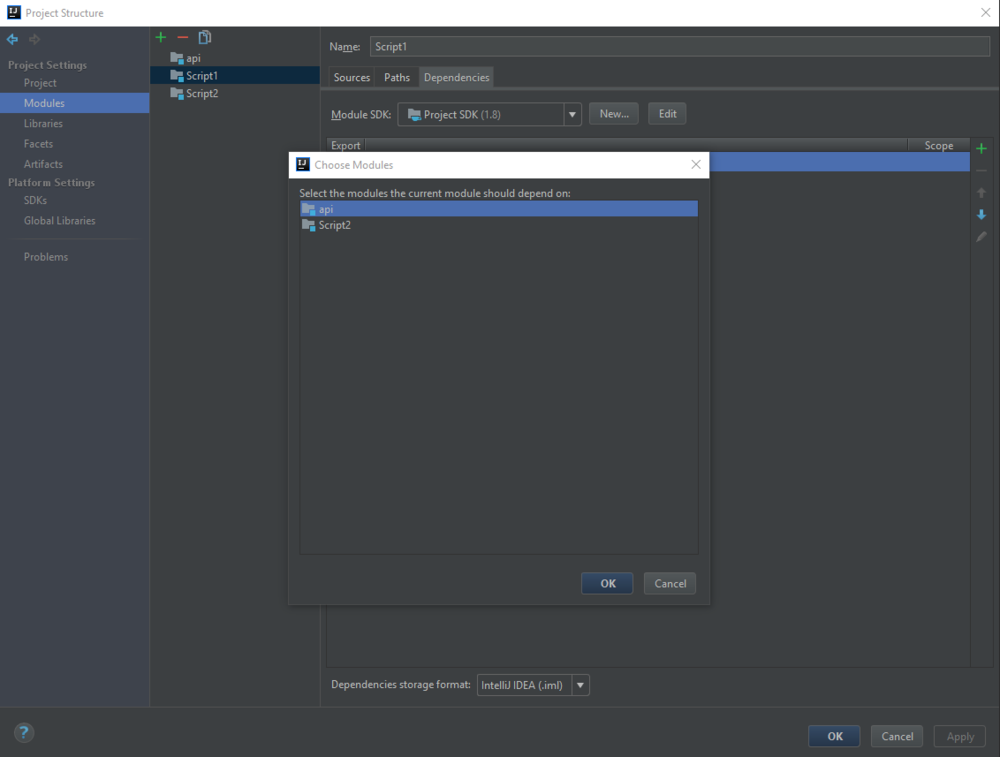 Make each script it's own module, then it's easy to create a separate artifact for each one. Create a new project (you could just name it something like ZummyScripts) Delete the automatically created module When you want to create a new script, go to File -> New -> Module.. Set the Module name to your script name, make sure the content root and file location is correct Repeat the process whenever you want to add a new script Now when you go to create an artifact, you will see each module in the available elements section. Just select which one you want for this .jar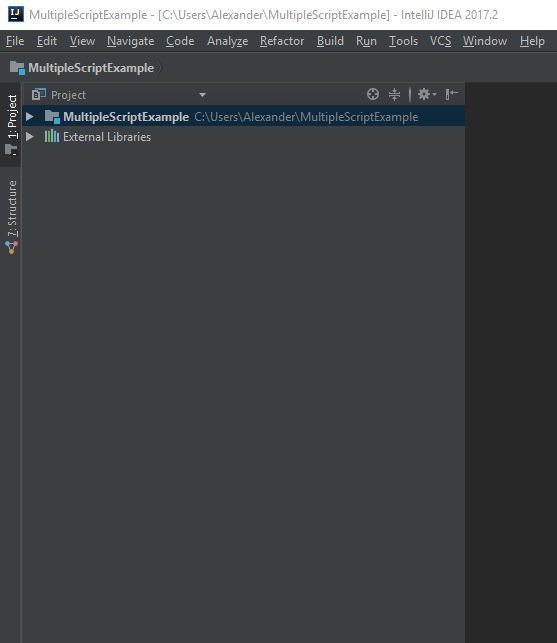
 Try putting your email in https://haveibeenpwned.com/ There have been data breaches on other bots in the past, e.g. powerb0t in 2014, and on various other RS websites / websites in general. You should always try to have different passwords for different accounts, and use 2-step authentication if possible
Given you a 2 hour trial. If you want to purchase with gold you will have to buy a voucher https://osbot.org/forum/forum/227-vouchers/
Well both really, there's a syntax error getBank().withdrawAll(i[0]); //For coins I assume that should be items[0] not i[0] But the code doesn't really make sense, if the bank contains "Death rune"s and not "Coins" you would still try to withdraw Coins. And you would never withdraw Death runes. If you wanted to withdraw any item from an array of items you could add a break after the withdraw in undefeated's code, or do something like: Arrays.stream(items) .filter(itemName -> getBank().contains(itemName)) .findAny() .ifPresent(itemName -> getBank().withdrawAll(itemName));
Good job, looks nice, congrats on release
Disputed Member: https://osbot.org/forum/profile/312031-rooneyis430/ Why it should be removed: He claims my "range guild script" dropped 12m from his bank and a robin hood hat. Firstly I don't have a range guild script, unless he is referring to the range guild task within my Explv's AIO script. He has also made these strange claims on the script page: https://osbot.org/forum/topic/96006-explvs-aio-13-skill-aio-in-1-script/?do=findComment&comment=1761558 The code in there has been checked by staff, and contains nothing malicious. Details: Link to topic: https://osbot.org/forum/profile/192661-explv/?tab=node_feedback_Feedback
Yep that works, you could modify the source to close the client for you, using System.exit() and then in a script reopen the client once closed.
Not usually because it is a pretty cheap script. I have given you a 6 hour trial though.
Fixes have been made, latest release can be found here https://github.com/Explv/Tutorial-Island/releases Please note that as new accounts are automatically started in resizable mode, the client will have to be manually restarted after the script changes to fixed mode. Hopefully the OSBot devs will produce a fix for this at some point.
Try putting your email in https://haveibeenpwned.com/ There have been data breaches on other bots in the past, e.g. powerb0t in 2014, and on various other RS websites / websites in general. You should always try to have different passwords for different accounts, and use 2-step authentication if possible
Given you a 2 hour trial. If you want to purchase with gold you will have to buy a voucher https://osbot.org/forum/forum/227-vouchers/
Well both really, there's a syntax error getBank().withdrawAll(i[0]); //For coins I assume that should be items[0] not i[0] But the code doesn't really make sense, if the bank contains "Death rune"s and not "Coins" you would still try to withdraw Coins. And you would never withdraw Death runes. If you wanted to withdraw any item from an array of items you could add a break after the withdraw in undefeated's code, or do something like: Arrays.stream(items) .filter(itemName -> getBank().contains(itemName)) .findAny() .ifPresent(itemName -> getBank().withdrawAll(itemName));
Good job, looks nice, congrats on release
Disputed Member: https://osbot.org/forum/profile/312031-rooneyis430/ Why it should be removed: He claims my "range guild script" dropped 12m from his bank and a robin hood hat. Firstly I don't have a range guild script, unless he is referring to the range guild task within my Explv's AIO script. He has also made these strange claims on the script page: https://osbot.org/forum/topic/96006-explvs-aio-13-skill-aio-in-1-script/?do=findComment&comment=1761558 The code in there has been checked by staff, and contains nothing malicious. Details: Link to topic: https://osbot.org/forum/profile/192661-explv/?tab=node_feedback_Feedback
Yep that works, you could modify the source to close the client for you, using System.exit() and then in a script reopen the client once closed.
Not usually because it is a pretty cheap script. I have given you a 6 hour trial though.
Fixes have been made, latest release can be found here https://github.com/Explv/Tutorial-Island/releases Please note that as new accounts are automatically started in resizable mode, the client will have to be manually restarted after the script changes to fixed mode. Hopefully the OSBot devs will produce a fix for this at some point.