
imstakingallday
Members
-
Joined
-
Last visited
-
Bump trying to sell cheap
-
-
-
Hahaha Alt tob it I still can do it well see if I can sell it
-
-
-
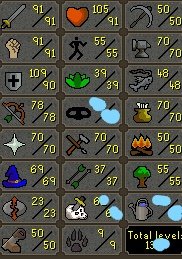
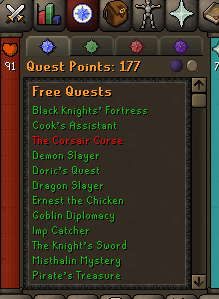
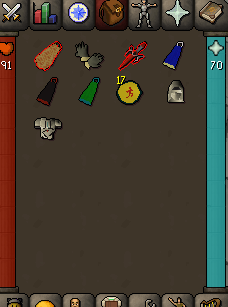
Looking for a price check on my alt main I was going to use has 14 days of memship was going to alt tob with it but decided nevermind. Also everything was hand done.
-
I'd say stats but that's just me im fascinated by the stock market and comm stocks. Im majoring in business still undergrad though
-
you small as hell brah what you running tren?
-
anyone max 99 slayer from your script?
-
i would love to take the free vip but if i dont get it im buying it anyway
-
i dont think so tbh
-
found the thread having a new one come soon thanks guys
-
roger, thanks back when i use to bot i used mirror mode the whole way and was able to get max combat but then botted wc and got it banned so idk lol
-
yeah def 5-8m