keer0008
Members
-
Joined
-
Last visited
Everything posted by keer0008
-
-
ohhh
-
nope
-
Do no
-
Great nice work
-
All my post are gone :'( ug
-
-
Sell it on os bot market thats good, and fast
-
Oh thats helps thanks, good thing to know about
-
You started man
-
-
Thanks man - can man pay to get 100 post? hey Also meeee hehe
-
no bad words, oh i think you will get banned fdggdf haha
-
I think thats ok
-
-
Never bot 3-5 bot at same ip... I had tried and you will get banend If you get a good vpn, there will not be lag I reccomend that you buy premium script, and VIP , that help mee alot, from not being banned with mirror
-
I wil, thats was a big help for mee
-
I think its something with your ram
-
i have the same question I had never get 2 days ban, i get banned for all time hahah thats funny
-
whats your skype id?
-
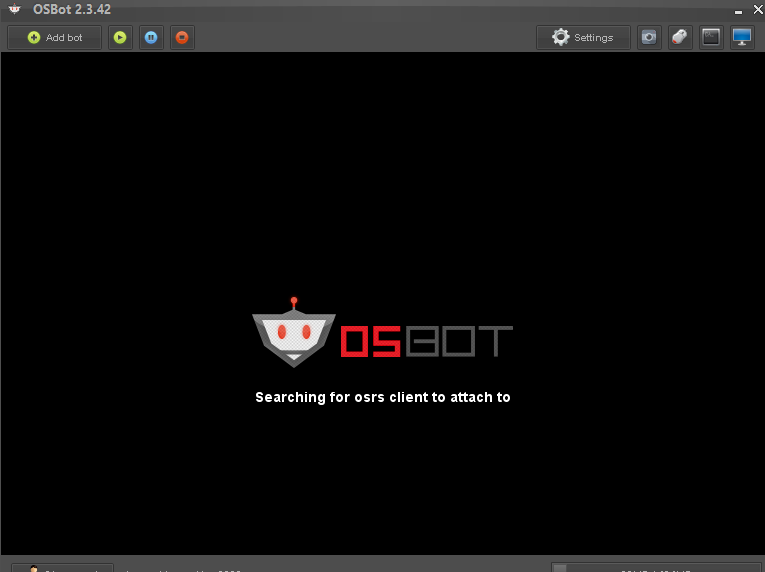
Hey guys When i run my mirror client it just says searching for osrs client to atach with? /Close

-
Hey Guys I had buy VIP, then after i cancel it, so it not will take money next month, but now my VIP is not working, but i have paid for VIP... I had write to admin but no answer yet, what to do, hope anyone can help..... Have a nice day !
-
What do you do to not getting banned?
-
thats funny Thanks for the help i will try Thanks man i use mirror hmmm thx man it helps
-
Please help