notedge
Members
-
Joined
-
Last visited
Everything posted by notedge
-
Hey may I also please try this script?
-
UPDATE FOR MAC USERS: I found a workaround for the failed to patch error!! Simply use the old 2.7.17.jar version to patch the game; then, navigate to HDOS/RuneLite directory and delete the osbot.jar that the succesful patch generates. Download 2.7.19 and rename it osbot.jar to replace the file you deleted. When you boot up through Jagex Launcher it should boot to version 19 with your login token intact!
-
Much appreciated, thank you Patrick! I am currently running Sonoma 14.0; the 2.7.17.jar is still able to patch successfully
-
Am I the only one unable to patch on any .jars after 2.7.17?
-
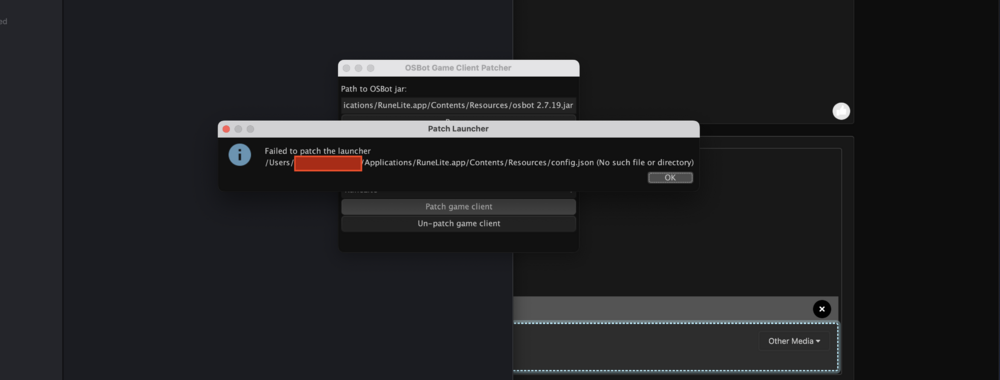
Failed to patch launcher because it can't see the config.json file
-
I was able to get my Stealth mode working even after jagex account
-
Are you still issueing trials? May I please try out your script?